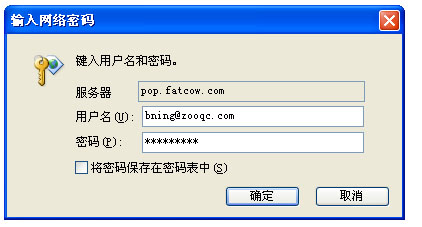
I have tried many options outlook provided, but it still doesn't work. the error box heep prompting up asking me to verify the pop server, my account, and password, after I confirm it, it come up again. when I cancel it, then the dialing prcoess ended with error sugestion.---that the server refuse to my log in.

pls review the screen shot of my setting here, and give me any suggestion that could make outlook works. I know it is in chinese version but it's very easy to konw if you use outlook 2007.
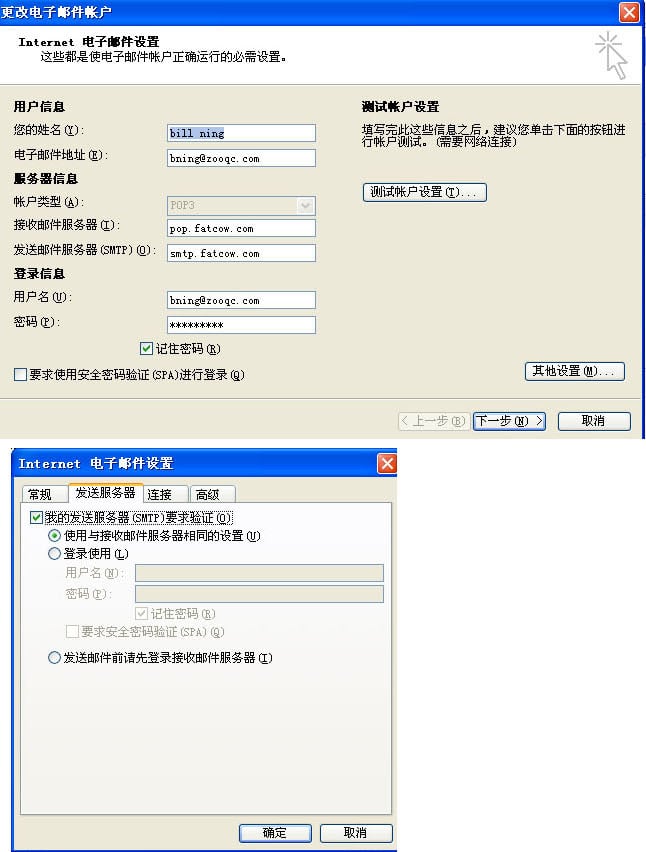
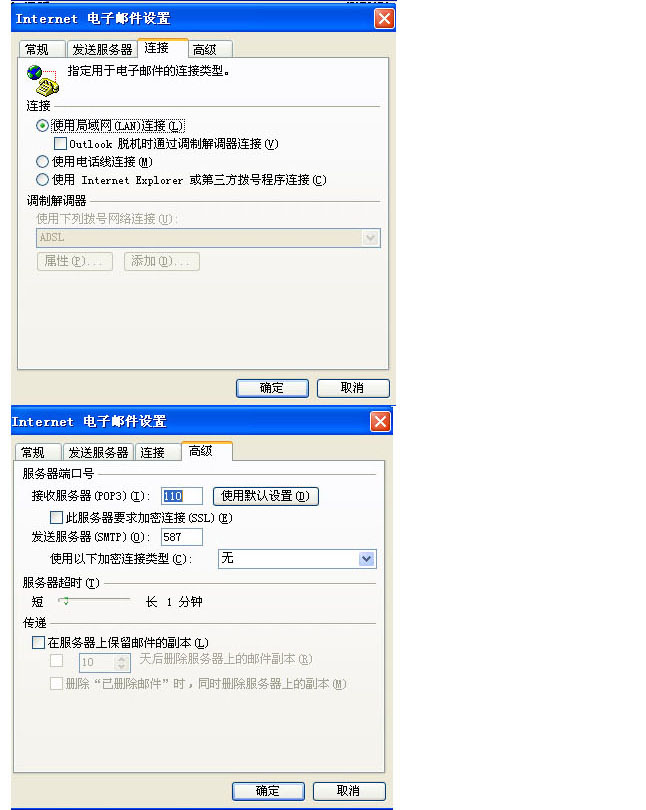
68a5d5465a5b64597b453ca3643b698a

9b1e54a88833e8f744b2fec641237e5f

here is the box keep coming out
f2914bb3249c40fe8acb313ed28435f6

thank you if you could help me with this, best.

Bill

Dani AI

Generated

Noting 's follow-up (credit to @Mat1998x) and 's point about screenshots, the short checklist below collects practical checks and fixes that commonly stop Outlook 2007 from repeatedly asking for the POP/SMTP password. The steps assume a legacy Windows/Outlook environment and are written to supplement the thread rather than repeat the original posts.

  1. Verify credentials at the provider: log into the provider's webmail or account portal to confirm the username/password works.
  2. Match server type and names exactly: confirm POP3 vs IMAP, incoming/outgoing hostnames, and whether SSL/TLS is required. Typical ports to verify: POP3 110 (no SSL) / 995 (SSL); IMAP 143 / 993; SMTP 25 or 587 (STARTTLS) / 465 (SSL).
  3. Enable SMTP authentication: in Account Settings -> More Settings -> Outgoing Server, check "My outgoing server (SMTP) requires authentication" and select "Use same settings as my incoming mail server."
  4. Clear saved credentials: remove stored passwords from Windows (Stored Usernames and Passwords on XP, Credential Manager on later Windows) and re-enter credentials in Outlook.
  5. Turn on Outlook logging for details: Tools -> Options -> Other -> Advanced Options -> Enable logging (troubleshooting), restart Outlook, then inspect the logs for the server response.
  6. Check antivirus/firewall email scanning: temporarily disable mail scanning to exclude interception; re-enable after testing.
  7. Create a fresh profile if needed: Control Panel -> Mail -> Show Profiles -> Add — profile corruption can cause persistent prompts.
  8. Check provider authentication rules: some providers require app-specific passwords or modern auth for older clients; consult the mail-provider help pages and use an app password if required.

A brief note: if the server response explicitly says "authentication refused," focus first on the exact password (and app-passwords/2FA rules). Recreating the profile and testing with webmail or a different client quickly isolates whether the issue is Outlook-specific.

Recommended Answers

All 2 Replies

It might be more useful if the screenshots are in english?

yes, Mat1998x, thank you, it was the password I use some character that too complex.

Be a part of the DaniWeb community

We're a friendly, industry-focused community of developers, IT pros, digital marketers, and technology enthusiasts meeting, networking, learning, and sharing knowledge.