I am trying to learn how to struct a network hardware...I have been reading and watching videos on the internet but i cant understand how to Configure the interfaces of with the appropriate IP address and activate the interfaces and how to Configure Vlan1 interface of each switch with IP of its subnet...any help...thanks inadvance

P.S. this is an example of what i am working on
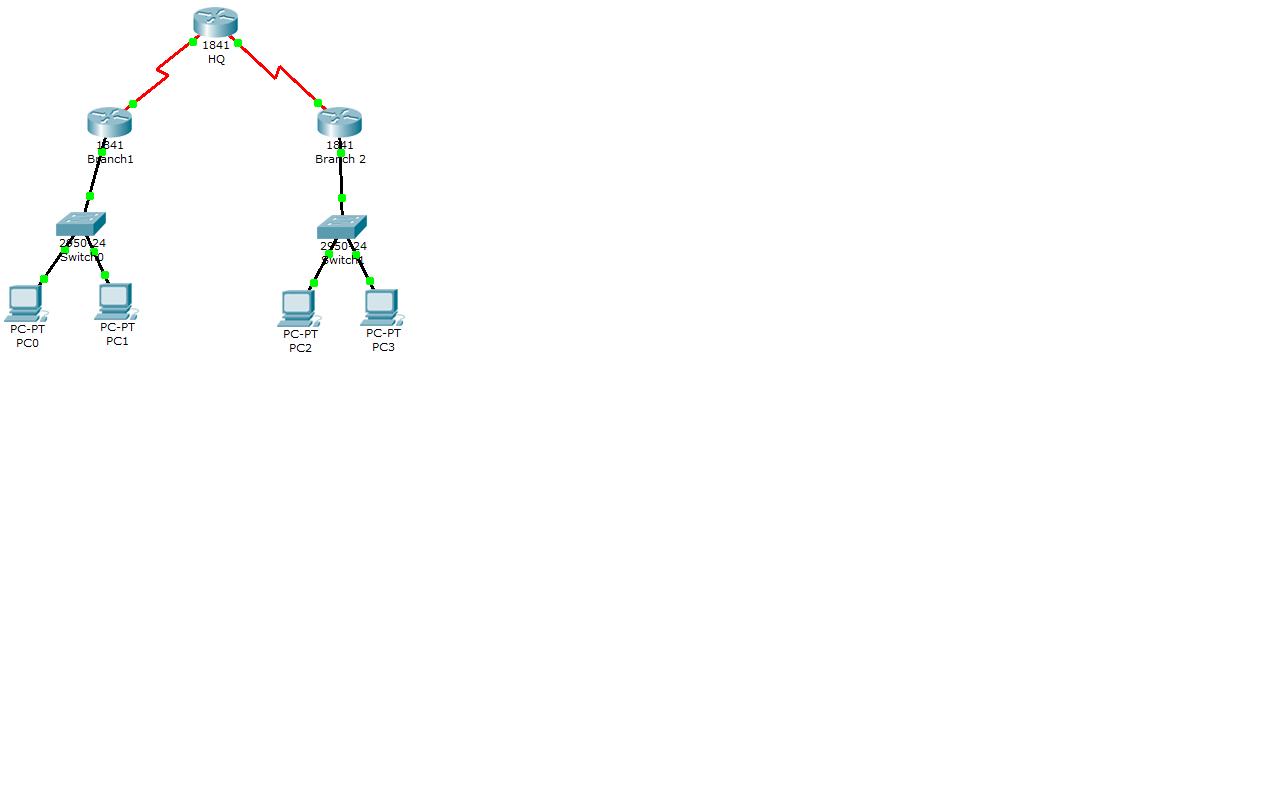
Untitled36

Dani AI

Generated

As and pointed out, the exact commands depend on vendor and OS. Below is a short, practical roadmap and concrete Cisco IOS examples you can adapt to your lab. Two common approaches are (A) one physical router interface per subnet, or (B) a single physical link with router subinterfaces (router‑on‑a‑stick). Pick the method your hardware supports.

Start with a checklist: plan subnet addresses and VLAN numbers; decide where routing will happen (router vs. L3 switch); create VLANs on each switch; give each switch a management IP inside the subnet it serves; put edge ports in the correct access VLAN; configure the link between switch and router as a trunk if using subinterfaces; ensure interfaces are administratively up and hosts use the router IP as their default gateway.

Example (Cisco IOS) — physical interfaces per subnet:

interface GigabitEthernet0/0
 description to-SW-A (VLAN10)
 ip address 192.168.10.1 255.255.255.0
 no shutdown

interface GigabitEthernet0/1
 description to-SW-B (VLAN20)
 ip address 192.168.20.1 255.255.255.0
 no shutdown

Switch side (SVI for management + access ports):

vlan 10
 name Users

interface Vlan10
 ip address 192.168.10.2 255.255.255.0
 no shutdown

interface range GigabitEthernet0/1-12
 switchport mode access
 switchport access vlan 10

Example (router-on-a-stick subinterfaces) and trunk on switch:

interface GigabitEthernet0/0.10
 encapsulation dot1Q 10
 ip address 192.168.10.1 255.255.255.0

interface GigabitEthernet0/0.20
 encapsulation dot1Q 20
 ip address 192.168.20.1 255.255.255.0

Troubleshooting tips: use show ip interface brief, show vlan brief, show interfaces trunk, and show running-config. Common mistakes are: interface left shutdown, port in wrong VLAN, trunk not negotiated or allowed VLANs blocked, SVI down because no active L2 port exists in that VLAN, or forgetting to set the switch’s management default gateway (ip default-gateway) on pure L2 switches. For security, avoid using VLAN 1 for management in production.

Recommended Answers

All 2 Replies

Each manufacturer would have their own method for assigning IPs.

Usually, you create a VLAN interface and assign the IP to the VLAN.

You'd need to provide a lot more info, especially, what kind of switches you are using.

Along with that, you need to show us what you've tried.

The syntax used to configure a router or a switch is going to slightly vary from vendor to vendor. You would have to provide additional details as to what iOS you are running and then wait for someone with experience on that platform to help you.

Of course, even with the help, you will need to have some basic knowledge with regard to routing and switching to understand the configuration.

Be a part of the DaniWeb community

We're a friendly, industry-focused community of developers, IT pros, digital marketers, and technology enthusiasts meeting, networking, learning, and sharing knowledge.