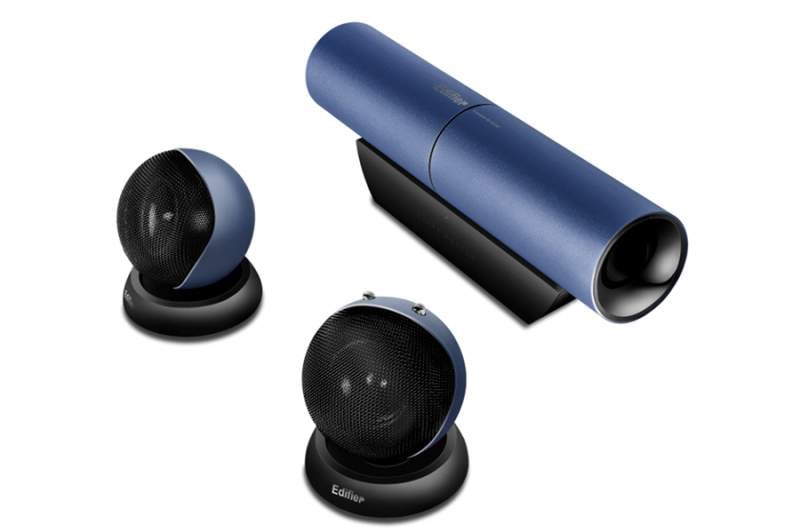
Although the Aurora is, theoretically, a portable speaker system it’s not really that easy to lug around with your laptop unless you do away with a slimline carry case and replace it with a small suitcase. The tubular super-woofer, two tennis ball satellite speakers and not forgetting the power cable all adds up to a lot to carry around with you. Especially when it all weighs in at something approaching 1.8Kg.
Which might leave you wondering just who the Aurora is aimed at then, and that’s simple: people like me who have a laptop which only ever travels between office and living room. It is a desktop replacement in all senses of the word and that includes audio. Like most desktop computers, my laptop and quite probably yours, has pretty awful built-in speakers. Fine for system beeps and perhaps a bit of Skype action, but not what you’d want to listen to your music collection through. Which is where the Aurora comes in, handling the audio with no small amount of aplomb and cool style.
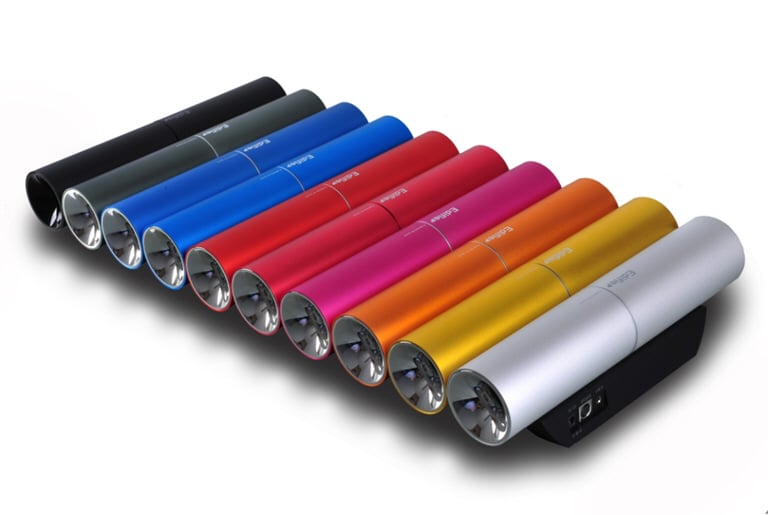
Cool if you like colour that is. You can opt to be a boring git and choose a black set, but why would you do that when there is a metallic blue offering, or a red one, or green, yellow, bronze, silver and pink.
Cool if you like unusual design which combines form with function. So you get a tubular super-woofer to deliver some meaty bass, and a couple of round satellite speakers about the size of a tennis ball to deliver everything else. The form is just about perfect, and I am proud to have these things sitting on my desk in the office. It’s like having a piece of modern industrial art on display.
Sadly, function is slightly hampered by the fact that the lead which connects the satellite speakers to the super-woofer is inconceivably short. Which means you cannot move them far enough apart to provide a really top-notch audio vista. This could be a problem for audiophiles. That said, at this price point and allowing for the fact that the music source is your laptop, I somehow doubt too many audiophiles would be buying into the Aurora in the first place. For the rest of us, the sound is perfectly acceptable. I’d still have liked to have seen a longer lead, or one that was not hard-wired into the super-woofer, if for no other reason than enabling a better audio aesthetic. 40cm to play with on each side simply is just mean… Not being a read the manual type, well not for a set of laptop speakers, I thought the Aurora was faulty at first. Then I realised that the right hand speaker has volume buttons on the top, and you need to ramp up the volume when it is switched on. A lack of a power switch fooled me to start with as well, but the speakers just power on when you turn them on at the mains, simple as. Talking of volume, you can expect a maximum of 22W (15W from the super-woofer) with a decent amount of bass kicking out as you ramp up that volume, although it is somewhat lacking at lower volumes. In my average sized office, and your average sized living room, the power output is perfectly adequate to fill the space with a well- balanced and warmly rich, if a tad treble heavy, sound.