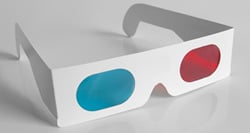
3D technology is quickly becoming a must-have feature for TVs, monitors, and cameras. It may end up being a fad, but 3D still has a long way to go before it's fate is decided. One venue that has yet to be explored from a retail standpoint is dual-2D projections from a single display. There have been a trail of patents and demos over the past six months though, so its clear that the tech is available, but the question is, which manufacturer will get it right?The Dual-2D Theory: Current 3D sets rely on a refresh rate of 120Hz. This corresponds to the number of frames displayed per second. A lot of 3D systems use glasses with built in shutters that open or close each lens. Each lens sees their own set of frames on the screen, dedicated to even or odd numbers. The persistence of vision of the human eye merges the rapid flicker into a clear, 3D image. The key here is the separation of frame-types. The 3D movie is essentially two separate 2D movies at 60fps. If glasses are programmed to flicker both lens shutters simultaneously rather than in succession, you can, in theory, broadcast one 2D video on the even numbered frames, and another on the odd frames. Glasses can then be set to tune in to one or the other.
Who Cares?
Gamers are woefully aware of the split-screen method used in local multiplayer matches. With two glasses dedicated to their own frame-set, it would allow each player to view the game in full screen from their character's point of view. In the same way, two people could simultaneously watch their favorite TV shows from one screen. We could even see an elegant implementation of the “Chose Your Own Adventure” style movies down the road, changing the story with the flip of a switch. Microsoft's technique could possibly add greater accuracy of depth with the display's ability to recognize a shift if the viewers perspective.
Where's the Beef?
Sony's Patent
Sony patented their technique in late July and it relies on the principal described above. They call it the "Stereoscopic Screen Sharing Method and Apparatus Patent" and "3D Shutter Glasses with Mode Switching Based on Orientation to Display Device,". Each person would get their own video feed and presumably audio from the inevitable built-in earbuds.
[ 3D Vision Blog ]
Texas Instrument's DLP DualView
At the 2008 Consumer Electronics Show, good ole' Texas Instruments debuted a system that works in a similar way to Sony's patent. It has been available for quite some time, but there is a difference between the two. The DLP DualView technique allows for two seperate video sources to be displayed, not two video streams from the same source. They were on the right track, but ahead of their time and the market's awareness of 3D display tech.
[YouTube]QGuXlNe6s7s[/youtube]
Microsoft's Wedge Lens
Microsoft's solution to the task is by far the most intriguing. By utilizing a wedge shaped lens, and a camera for face tracking, they have developed a display that can beam two images to one user for a glasses-free stereoscopic experience, or a unique stream to two individuals. The tech behind this is related to the upcoming Kinect add-on for the Xbox 360. It's basically a camera, but abstractly, it's a highly tuned piece a recognition software. When you pair the two together, voila, glasses free 3D and dual-2D.
[ ]
[youtube]cyclP1S21hY[/youtube]
One of the researchers behind Microsoft's system, and an inspiration for the new wedge-technology, is Johnny Lee. While finishing his PhD in Human-Computer Interaction at Carnegie Mellon, he developed a few low cost solutions for things like miltitouch computing surfaces, and head tracking. Best of all, he did it using controllers for the Nintendo Wii. In the video below, he shows off his head tracking setup, the project that landed him a job at Microsoft's Applied Sciences department.
[Youtube]Jd3-eiid-Uw[/youtube]
Hacked NVIDIA 3d Vision Glasses
The intrepid blokes at the 3D Vision Blog have created a tutorial and provided a proof on concept for the screen sharing ability of 3D by hacking a pair of NVIDIA 3D glasses to shutter both lenses at the same time.
[ 3D Vision Blog ]
[youtube]_k7Vc10YsDk[/youtube]
Down the Road
The future of 3D technology looks pretty good, actually. Even if we lose interest in viewing video in three dimensions, we will undoubtedly crave screen sharing and dual-2D gaming for the forseeable future. It will be interesting to see if companies can join forces for a unified standard of screen sharing. It is more likely, however, that we will see different standards vying for market supremacy. Until we have a solid implementation in place, kick back and enjoy a good game of 4-player Goldeneye for Nintendo 64 and while you're at it, fight with your spouse for control of the remote. Ahh...nostalgia.