Hi Team,

I have a piece of code like below which works correctly in Windows Xp (Ie 7) but when i try it in W7(IE 11) rendering is wrong, when the application first loads the select menu is rendered correctly but when i select an option and again try to select another option from the menu it goes to the top, I mean the last selected vallue gets displayed first and the values above it goes to the top.

<!DOCTYPE html>
<html>
<body>

<select>
  <option value="volvo">Volvo</option>
  <option value="saab">Saab</option>
  <option value="opel">Opel</option>
  <option value="audi">Audi</option>
</select>

</body>
</html>

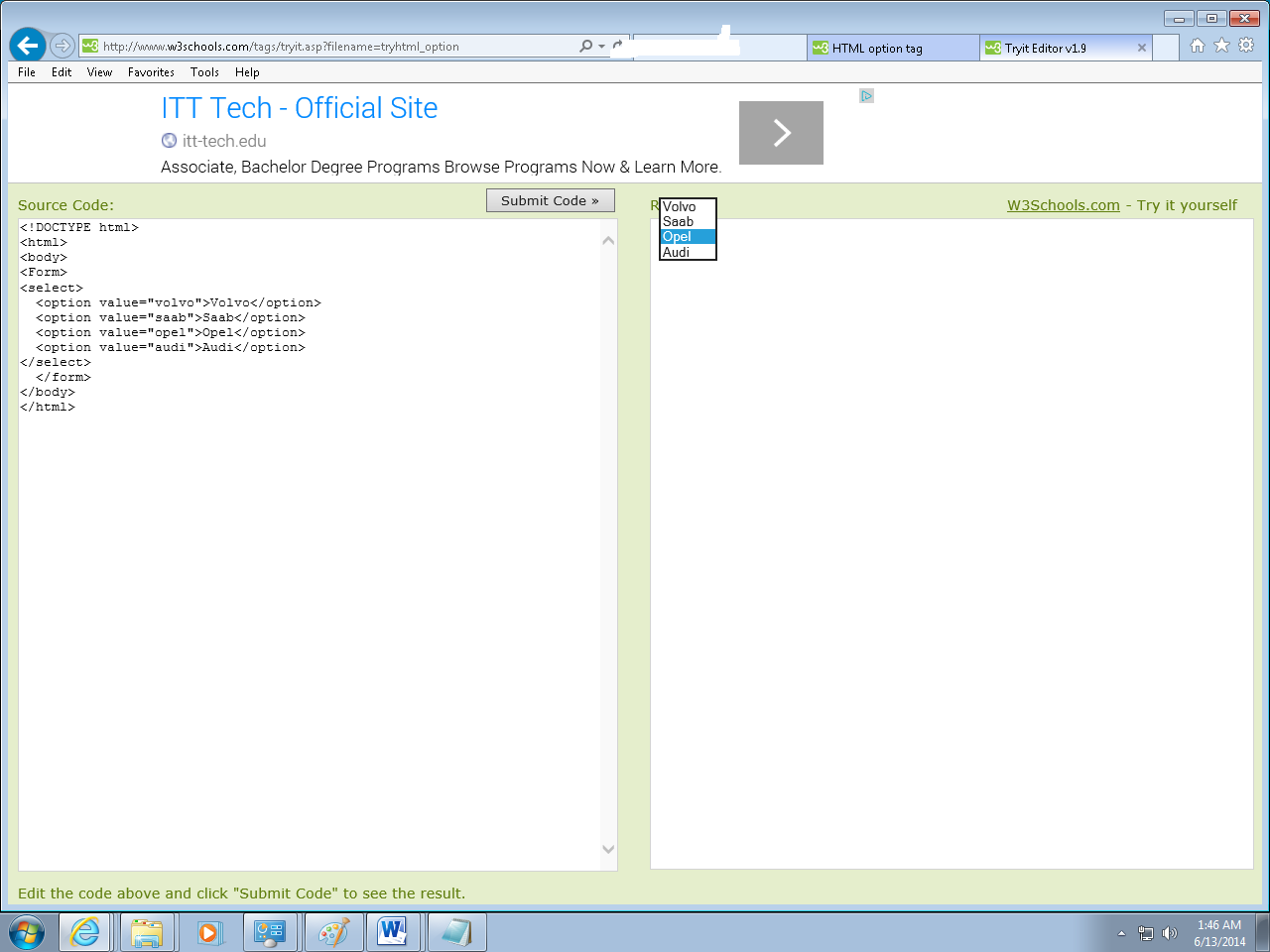
Dani AI

Generated

This looks like a browser-rendering issue in IE11, not malformed HTML. IE has known quirks with native SELECT controls—particularly when option text or the option list is changed dynamically, or when IE’s “windowed/windowless” select rendering and GPU acceleration interact with drivers. Microsoft and multiple developers have documented and worked around these exact symptoms (options jumping, lists re‑centering or freezing). (support.microsoft.com)

Practical, ordered checks (fast to run):

  • Reproduce with a bare static page (no scripts/CSS) to confirm it’s not your site code.
  • Start IE11 in No‑Addons mode (iexplore.exe -extoff) to rule out extensions.
  • Disable IE GPU rendering (Internet Options → Advanced → “Use software rendering instead of GPU rendering”) and restart IE.
  • Make sure IE/Windows updates are installed (Microsoft shipped fixes / cumulative updates for select-control bugs).
    Do these steps before changing page code — they often prove whether the problem is browser/OS or app-level. (learn.microsoft.com)

If the bug is triggered by JavaScript that mutates options (Angular, jQuery, server-side updates, etc.), a widely used workaround is to force the browser to re-render the control after the list changes — for example, append then remove a dummy <option> or toggle a harmless CSS property. Example (run after you update the option list):

document.querySelectorAll('select').forEach(function(sel){
  // force a re-render after list changes
  var tmp = document.createElement('option');
  sel.add(tmp);
  sel.remove(sel.options.length - 1);
});

That pattern is a pragmatic patch until the environment is fixed; other harmless tricks are sel.selectedIndex = sel.selectedIndex or toggling sel.style.zoom. Test for side effects if you have many selects. (stackoverflow.com)

Notes tied to this thread: ’s suggestion to try a form and ’s comment about selected are valid sanity checks (and I see already tried them), but they won’t fix a browser rendering bug. If this is a production app and IE11 support is required, consider running the page in Microsoft Edge’s IE mode or moving to a modern browser — IE11 is retired and Edge+IE mode is Microsoft’s supported path. (learn.microsoft.com)

Recommended Answers

All 9 Replies

Try Placing it inside a form. And post a screenshot if not solved even after this.

Thanks Anand.
yes,
we had tried it.but still not working.we are placing screenshot for it also. 5bab693fcee97d305735b8f4e20744f05bab693fcee97d305735b8f4e20744f0

Select tag use like this.
<select>
<option value="Red"> Red</option>
</select>

Try running it independently, not in w3schools.

I have tried it in my browser also, still the same.

The problem is at the start of the site it shows from the title correctly, but when you hover over it and again try to select something, the last selected shows first and rest goes to the top.\

Happens only in IE11 same code works fine in IE 7.

Please advice.

Sorry but I have no idea. :(

Please advice.

Try jsfiddle, see what that does. I think the problem is with the w3schools site.

I have tired it in my Laptop's IE 11 and in my Firend's System too...still the same. I checked microsoft website also but no solutions provied.
Please advise

add selected='selected' to one of the choices
or add a blank entry with selected='selected'

<option value="" selected='selected'>choose</option>

second run of the page is remembering the last time
to see what it is like without the memory effect, clear the tif

of course the field is centered around the currently selected choice, that is default behaviour, its just that IE remembers, not default behaviour IE is a shit, and other browsers behave

Be a part of the DaniWeb community

We're a friendly, industry-focused community of developers, IT pros, digital marketers, and technology enthusiasts meeting, networking, learning, and sharing knowledge.