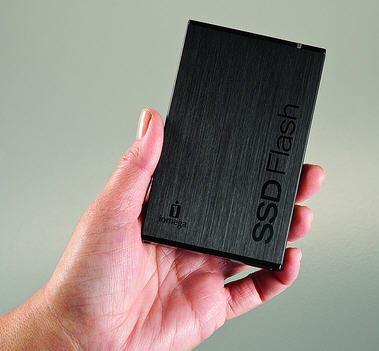
Solid State Disks are ideally suited to laptop use, being small and thin but rugged as well. The lack of moving parts is pretty much a win-win for mobile usage, making these units much less prone to the knocks and drops of daily life than your average mechanical hard drive. The only real downside has been, and to be honest remains, the higher cost; which is why you still tend to find SSD storage restricted to specification for higher end machines. Actually 'only' is a bit of an exaggeration as SSD is becoming a popular choice amongst fans of external hard drive units, with the rugged workings all wrapped up in a slim casing being rather appealing to the pocket in terms of portability if not price.
Being a USB3 device, you would expect the Iomega SSD Flash to be pretty speedy and when compared to a bog standard USB2 drive it certainly was. Iomega claims a maximum read speed of up to 191MB/s and up to 130MB/s write speed, but my real world tests here were just a tad less impressive. Connected to a suitably USB3 equipped PC running Windows 7, I clocked large files averaging a read speed of 120MB/s while smaller ones hit 70MB/s. Writing speeds averaged out at less impressive 65MB/s and 40MB/s respectively.
Those are decent enough read numbers for a USB3 portable drive, and eclipse anything you'll get from a portable USB2 device. But, and it's a pretty big but it has to be said, they look distinctly average on the write front and not at all clever for either both when stacked up against what you might expect from an internal SATA interfaced USB3 hard drive. This could well be down to the Iomega design which incorporates a SATA3 to USB3 adapter inside the device, and which could be creating something of performance bottleneck compared to a direct SATA connection without the go-between adaptor.
If you've not yet upgraded to USB3 then one might legitimately ask what you are doing buying a USB3 specced SSD in the first place, but assuming you have it will still work with your kit (albeit a tad more slowly) courtesy of the rather nifty dual-headed USB2/USB3 connector cable head. Use it as a USB2 drive though, and you lose the advantage of those super fast average read times that you've paid so much to experience.
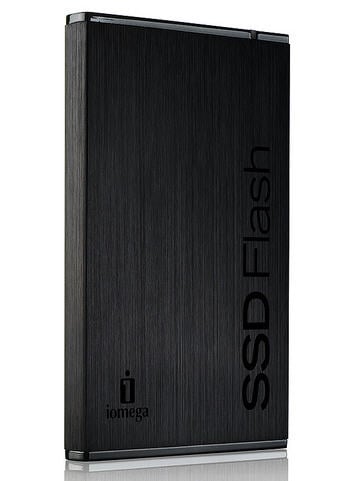
The Iomega SSD Flash is stunningly good looking in a brushed black metal casing which stays lovely and cool to the touch, this could easily (and indeed would have if I were the marketing guy) been called the Iomega SSD Stealth. It's suitably slim at 4.35" x 2.72" x .37" (L x W x H) and wonderfully lightweight all things considered at just .24 lbs as well. This being SSD is totally silent in operation as well, and draws a smaller energy load than your average mechanical drive.
Given the price of this thing, and it sure doesn't come cheap, you can be forgiven for wanting more than just good looks for your money: and you get it in the form of a truly superb three year warranty from Iomega as standard. You also get 256-bit AES hardware encryption built in, and something called 'Iomega Drop Guard Xtreme II' which promised to help it survive a fall of up to 10 feet although I will admit to being too much of a tight fisted wimp to put this claim to the test.
But is that enough? The 64GB drive that I looked at retails for a none too cheap $229.99, but if you thought that was a lot of money for the amount of storage wait until you get load of the 128GB and 256GB devices which cost $399.99 and a stinking great $749.99 respectively.
Sadly, given the fact that the value proposition is so lacking in terms of a storage price of $3.59 per GB for the 64GB model I tested. To put that into perspective I cannot recall another drive I have had pass through my offices here in the last year which hit anything higher than $0.50 per GB. I would be inclined to recommend waiting for USB3 SSD prices to drop quite a bit further before investing in this particular storage medium, despite the stealthy looks and the early adopter appeal.