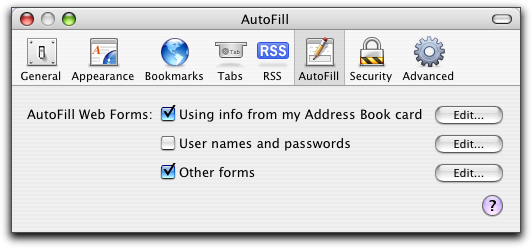
Security researchers have been looking at Safari, the standard browser for Apple's Mac computers, and have found a troublesome security problem. It seems that there is a feature that could reveal your personal information. The problem is with the Auto Fill feature which is designed as a part of the Safari browser to help save you time and trouble when filling out various forms by storing the data on your computer then automatically filling out the information every time you come to that field in a form.
The problem, according to security experts, is with a vulnerability in the browser that could allow hackers to easily access your personal information which could put your privacy, your identity, and possibly other important information at risk. The data that is most at risk include your full name, your complete address including city and state, place of employment, and your email address. All of this information is stored by the Auto Fill feature in the operating system's local address book. Other standard text fields could also potentially be at risk.
Details about the potential security breech was outlined in a recent blog post from founder and CTO of White Hat Security, Jeremiah Grossman . A colleague of his, Robert “Rsnake” Hansen, who often collaborates on security issues of this sort has actually worked out a to demonstrate how easily a malicious web site could use fairly simple code to obtain this information without your knowledge and in ways that most security software could never pick up on. While it appears that fields containing only numbers, such as your telephone number, are not as vulnerable, the security implications and possible abuses are still enormous.
The quick fix solution to this problem, is of course, simply not to use the Auto Fill feature when using Safari.
Grossman says that he had notified Apple officials of the security problem before going public with the information. He states that he sent notification on June 17th and as of the posting of his blog on Wednesday, July 21st, he has yet to hear anything from Apple on this matter..