The Apple iWork office productivity suite for the Mac has been around for ages, and was recently joined by an iOS version. iWork documents have, up until now, been seen as being pretty safe courtesy of the particular implementation of the 128-bit AES encryption Apple used to secure them. I say up until now as it appears that iWork passwords have been pretty comprehensively broken thanks to the latest in a long line of 'password recovery' applications from Russian outfit Elcomsoft.
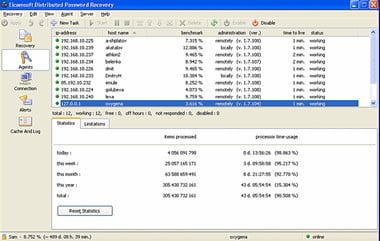
Of course, truth be told, it has been possible to brute force these iWork document passwords before now but the problem has been one of the resources vs. reward ratio: for the most part it would take too long, or require too much effort, to crack the passwords of random documents on the off chance they contained something of value to the bad guys. That could have all changed now that Elcomsoft has released a version of its Distributed Password Recovery tool that supports the 'recovery' of iWorks passwords on both platforms and across the Numbers, Pages and Keynote applications.
Elcomsoft CTO Andy Malyshev says that as Apple iWork is sold at consumer market price points it is less likely that the average user will have a security policy that enforces a long and complex password, making the distributed attack methodology and its 500 attempts per second barrier worthwhile. What's more he states that they are "likely to re-use their passwords, with little or no variation, in various places: their instant messenger accounts, Web and email accounts, social networks and other places from which a password can be easily retrieved".
Which is why it is worrying to learn that Elcomsoft has released this product to 'recover' iWork passwords using advanced dictionary attack methodology which is capable of cracking a significant number of simple passwords in a relatively short period.
Sure, there is genuine use for such forensic recovery tools within the law enforcement industry, but as anyone with the money can invest in the software and then get relatively simple access to Microsoft Office documents, Adobe PDF, PGP disks and archives, personal security certificates and exchange keys, MD5 hashes and Oracle passwords, Windows and UNIX login and domain passwords and now Apple iWorks as well is, well, of some concern at the very least.