Hey,
I'm new to this forum. There was a problem with my system( laptop, XP)so I did a system restore on it. The internet was working then. Next, I installed Office XP because the wipe erased it. Now my internet doesn't work. The status says the internet is working(Cable internet for your info.) None of the programs that use internet work, i.e. MSN Explorer, and IE. Please help!
jbs0518

Dani AI

Generated

Short summary and next-step plan: the thread shows a System Restore followed by an Office install, then the laptop reports the network as “connected” while Internet Explorer / MSN Explorer cannot load pages. and already covered the basic IP checks; the steps below cover the common causes that those checks often miss: browser-level settings (offline/proxy), name-resolution versus raw IP connectivity, Winsock/TCP stack corruption, and local host-file or driver problems.

Quick, non-destructive checks (browser and DNS isolation)

  • Confirm Internet Explorer is not set to "Work Offline" (File menu).
  • Inspect Internet Options → Connections → LAN Settings for a stray proxy entry and clear it if present; some malware or institutional setups leave a proxy configured.
  • Differentiate DNS problems from general connectivity by contacting an external host by numeric IP (ping a public IP) versus a hostname — success by IP but failure by name points to DNS. (learn.microsoft.com)

Repair the Windows socket and TCP/IP layers (when GUI checks fail)

  • If the above fails, rebuild Winsock and reset the TCP/IP stack from an elevated command prompt, then restart the computer. Example commands:
    netsh winsock reset
    netsh int ip reset c:\resetlog.txt
  • On Windows XP, the Winsock reset behavior depends on the Service Pack level; resetting Winsock can remove third‑party LSPs (firewalls/AV) and those programs may need reinstallation. ()

Other useful checks

  • Inspect or restore the hosts file at C:\Windows\System32\drivers\etc\hosts (malicious or accidental entries can block name resolution). Power‑cycle the cable modem (unplug ~30 seconds) and, if necessary, reinstall the NIC driver from Device Manager. Event Viewer often records DHCP/DNS/winsock errors that point to the exact fault. (support.microsoft.com)

These steps complement the IP diagnostics already attempted in the thread and are the usual fixes for “connected but browsers won’t load” on XP-era machines.

Recommended Answers

All 20 Replies

Type: ipconfig /all in your command prompt and post back what it says bra

To get in the command prompt click Start/Programs/Accessories/in between the calculator and notepad

It mentions a lot of crap about Windows IP Configuration and Ethernet Adapter

It mentions a lot of crap about Windows IP Configuration and Ethernet Adapter

First of all its not crap, it's relevent information needed much of the time when diagnosing internet problems on winblows based machines.

Can you please post what you are seeing? Just 'right click' select all and then paste it here, Be sure and 'xxx' out at least the ending numbers of your ip address, we don't want any script kiddies fondling your box. :twisted:

Here is what it said (it also included some confidential information about my ehternet adapter)


Windows IP Configuration
Host Name............................: your-q...
Primary DNS Suffix...................:
Node Type............................: Hybrid
IP Routing Enabled..........................: No
WINS Proxy Enabled..........................: No

ok, looks like nothing is wrung up there.

Try this command: ipconfig /renew and see if we can get your values to show up.

Do you have a particular setup going? Like say router and what not, or just a cable modem directly connecting your pc?

Btw, make sure you are on as administrator, or that particular command will not have the appropriate permissions to execute it's orders.;)

I gotta go take back a switch for someone, so I'll be back in say and half an hour or so. :D

i just have cable going right through, i think, i don't think i have a router.

Is your cable modem connected via a nic card or USB? When you use IPconfig, you don't have to tell us your whole IP, but does it begin with 167.x.x.x or 192.168.x.x or 127.0.0.1?

Not sure what its connected through, may be USB, and the first 3 are 12.xxx.xx.xxx

If the first digits in your ip are 192.168.xx.x then you are connected to a router, because that range is internal or private. If you have to think whether or not you have a router, then you probably don't have one.

You might want to try ipconfig /release and then go ahead and again do a ipconfig /renew. Reboot after that, then come back and tell us what values you see in the ipconfig /all field.

Everything is still the same, but my IP Addres is 12.xxx.xx.xxx (i'm sure of that)

You can still jet back to another date by means of system restore.

Windows IP Configuration
Host Name............................: your-q...
Primary DNS Suffix...................:
Node Type............................: Hybrid
IP Routing Enabled..........................: No
WINS Proxy Enabled..........................: No

start the command prompt/ipconfig /all ....right click/select all/come in here and paste all of it dont delete info /*s*t*a*r* out 4 of the middle numbers in your IP
yout IP is located below

||
||
||
||
\|/
||

Not sure what its connected through, may be USB

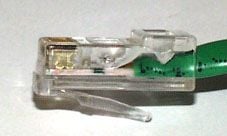
USB (LEFT)(MIDDLE) cat 5(RIGHT)

it is a cat5 and i can't copy and paste because i'm using a diferent computer.

Technology just not that far along for my thinking ..........save it to floppy

thanks alot

I am having the exact same problem. I googled the basic idea, and got this site.

Currently, I am at my college computer lab, and will likely not be able to get you all the necessary info until later tonight, but if there are any more ideas, I'll try them when I get home.

I have a router, and the computer is connected, but the screen shows up that I can't access the page, so I know it's not a problem with the router.

Got caps. Plan to upload tomorrow and post here.

Would have edited, but I didn't see the option anywhere.

My mom managed to figure it out.

Be a part of the DaniWeb community

We're a friendly, industry-focused community of developers, IT pros, digital marketers, and technology enthusiasts meeting, networking, learning, and sharing knowledge.