My Laptop Specs:
i3 2.40Ghz
2048MB RAM
Sony VAIO E Series
Intel(R) HD Graphics 4000
64-bit OS

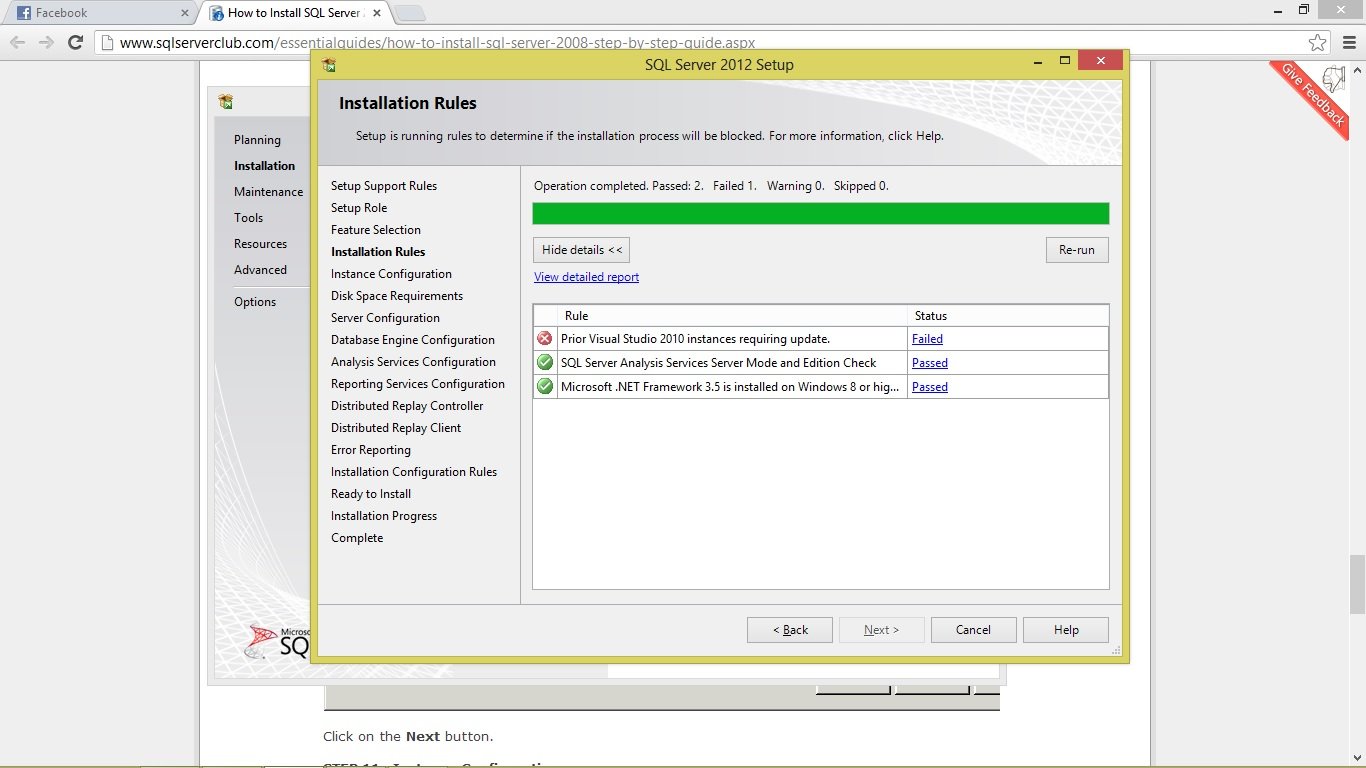
I had tried installing Microsoft SQL Server 2008 for about 3 times now on my laptop. I still can't install it. Please help me.

What to do? I really need the software for my project.
Please Please Please.

THANKS, MORE POWER and GOD BLESS.

Dani AI

Generated

Several responders already pointed at common causes (missing prerequisites, leftover partial installs). This short, focused checklist consolidates practical fixes and diagnostic steps for a 64-bit Sony VAIO with limited RAM and a repeatedly failing SQL Server 2008 setup. It ties into ’s and ’s pointers while adding concrete places to look and low-risk workarounds.

  • Run the installer as Administrator and disable third‑party antivirus/UAC temporarily. On low‑RAM machines choose only the Database Engine feature for initial install (skip Analysis/Integration/Full Management Tools).
  • Remove any partial installs first: Control Panel -> Programs and Features -> uninstall entries beginning with "Microsoft SQL Server" plus "SQL Server Setup Support Files", then reboot.
  • Inspect the setup logs for the exact failure: look under C:\Program Files\Microsoft SQL Server\*\Setup Bootstrap\Log\ (or C:\Program Files (x86)\... for 32‑bit components) and open the most recent Summary.txt. The failing component name and HRESULT/error code there point to the right fix.
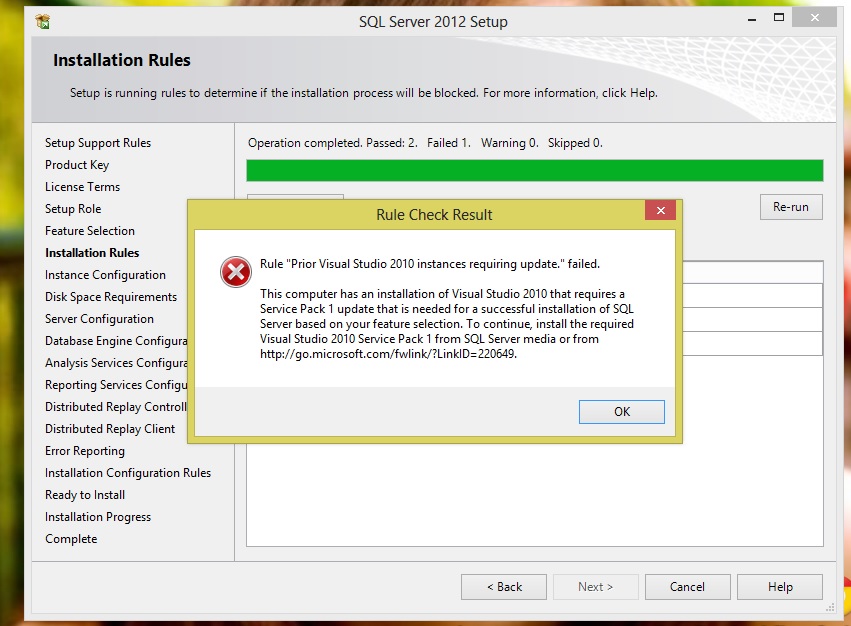
  • If logs reference Visual Studio isolated shell or setup support, follow ’s advice about Visual Studio updates and confirm those updates actually applied (check Installed Updates). Also ensure required .NET/VC runtimes are present before retrying.

Notes and cautions: with only 2GB of RAM, avoid installing heavy features — switching to a lightweight edition (SQL Server Express / Database Engine only) avoids many failures. For persistent, unclear failures, a clean removal using Microsoft’s Program Install/Uninstall troubleshooter and then a fresh install often resolves registry/MSI conflicts. Since SQL Server 2008 is an older release, consider using a more recent Express edition for development where possible.

Recommended Answers

All 7 Replies

I still can't install it.

What's the problem?

including gotchas

this one,

when i clicked the Failed

Download and install the service pack.

Be a part of the DaniWeb community

We're a friendly, industry-focused community of developers, IT pros, digital marketers, and technology enthusiasts meeting, networking, learning, and sharing knowledge.