The 'Murder Ball' competition is now underway at the London 2012 Summer Paralympics, also known as wheelchair rugby to some. However, you won't find Olympic athletes taking part in the warbiking event that has also been happening in London recently: warbiking is very much a sport for nerds.
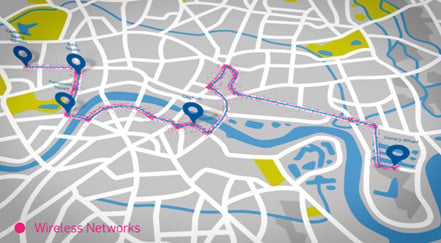 The brainchild of security vendors Sophos, Project Warbike itself consisted of one man on a specially adapted bicycle complete with with dynamos and solar panels powering a computer that was scanning for wireless networks. Taking place across a couple of days, Sophos Director of Technology Strategy James Lyne cycled around the streets of London in orrder to create a heat map of wireless network security levels using a GPS device connected to the Heath-Robinson sounding contraption.
In every mile he rode, the warbiker scanned more than a thousand wireless networks and of these one in four was insecure or had 'poor' security that could be easily bypassed. In total, 106,874 individual hotspots were detected across more than 91 miles in Central London. Only 8% used absolutely no encryption, but 19% used 'as hard to crack as a dropped china plate' WEP encryption. Although you might imagine exactly the reverse to be true, analysis of the heat map revealed that it was the residential areas which had the most secure networks and not the business ones. Home users, as a rule, opted for stringer WPA2 level encryption compared to the highest density of unsecured or secured with the pretty pointless WEP encryption was found amongst small business owners.
This is particularly surprising given that just about router these days comes with as easy as it gets, often one-button, secure wireless networking configuration options right out of the box. "Unfortunately many networks are still like a Rolo" commented warbiker James Lyne "hard on the outside but soft and gooey on the inside".
