I have a new Linksys Wireless-G WAP. I'm trying to figure out how to set it up so that rather than all surfing traffic on the network showing up as the Static IP that is assigned to the WAP, I'd like it to just appear blocked.
Any thoughts?
I have a new Linksys Wireless-G WAP. I'm trying to figure out how to set it up so that rather than all surfing traffic on the network showing up as the Static IP that is assigned to the WAP, I'd like it to just appear blocked.
Any thoughts?
Short answer for : you can't make the public (WAN) IP disappear — whatever IP the ISP assigns will be the source seen by remote servers unless you intentionally route traffic through another public address (a proxy, VPN or an upstream NAT). Dropping ICMP only stops pings; it does not change the source address that HTTP/TCP connections show.
About the weird entries (0.0.0.0 and strings of plus signs): those often mean your logging code or the upstream device failed to provide a valid client IP, or a proxy/translator modified headers. Do these checks in order: (1) temporarily log the full $_SERVER array and request headers for any suspicious request, (2) if you can, capture the network-layer packets (tcpdump) to see the real source IP, and (3) compare what PHP sees with the network capture to find where the value is getting mangled. Example quick debug log:
file_put_contents('/tmp/request_debug.log',
date('c') . " REMOTE_ADDR=" . ($_SERVER['REMOTE_ADDR'] ?? '') .
" HEADERS=" . json_encode(function_exists('getallheaders') ? getallheaders() : $_SERVER) . "\n",
FILE_APPEND
); To normalize and validate a client IP before logging, prefer this pattern (don't trust forwarded headers unless you control the upstream proxies):
function getClientIP() {
$keys = ['HTTP_X_FORWARDED_FOR','HTTP_CLIENT_IP','REMOTE_ADDR'];
foreach ($keys as $k) {
if (!empty($_SERVER[$k])) {
foreach (explode(',', $_SERVER[$k]) as $ip) {
$ip = trim($ip);
if (filter_var($ip, FILTER_VALIDATE_IP)) return $ip;
}
}
}
return 'unknown';
} If the DW6000 is locked down by your provider they may be doing carrier NAT or proxying — contact them if you need a guaranteed public IP. If your goal is true anonymity for outbound browsing, the practical route is a VPN/proxy outside your ISP. Useful pointers already raised by , and are correct; the immediate, practical next step is raw header + packet capture so you can tell whether the problem is application-level logging or an upstream network device.
Jump to Post— feigned 57Ok, your title states: "Hiding IP addy for WAN traffic?"
To my knowledge, your not going to be able to do this, the best you can do is encrpyt the data no?
Whether or not your ip is static or dynamic, there isn't going to be a way to hide …
I have a new Linksys Wireless-G WAP. I'm trying to figure out how to set it up so that rather than all surfing traffic on the network showing up as the Static IP that is assigned to the WAP, I'd like it to just appear blocked.
Any thoughts?
Ok, your title states: "Hiding IP addy for WAN traffic?"
To my knowledge, your not going to be able to do this, the best you can do is encrpyt the data no?
Whether or not your ip is static or dynamic, there isn't going to be a way to hide the ip itself. That is unless your using a proxy, but that would be for surfing only.
As long as you have a firewall it should show up as "blocked". Or if your router doesn't accept pings and drops them on inpact the rest of the world should assume your ip is as an unplugged computer or non-existent/unassigned.
Right?
Ok, your title states: "Hiding IP addy for WAN traffic?"
To my knowledge, your not going to be able to do this, the best you can do is encrpyt the data no?
Whether or not your ip is static or dynamic, there isn't going to be a way to hide the ip itself. That is unless your using a proxy, but that would be for surfing only.
As long as you have a firewall it should show up as "blocked". Or if your router doesn't accept pings and drops them on inpact the rest of the world should assume your ip is as an unplugged computer or non-existent/unassigned.
Right?
Yeah. Just have it drop all ICMP requests, and it'll never be pingable.
That's how I have my router, and my firewall. Just incase those crafty hackers come up with something to fool the SPI at the router.:cool:
[off topic]
I'm telling ya, Sygate is highly underestimated, except in the hacker scene. Everyone spouts off about how good zone alarm is, but they fail to mention there have been exploits for ZA in the past, and there will more than likely be more to come in the future. To my knowledge, Sygate has no known exploits to date.[/off topic]
(SUGGESTION)
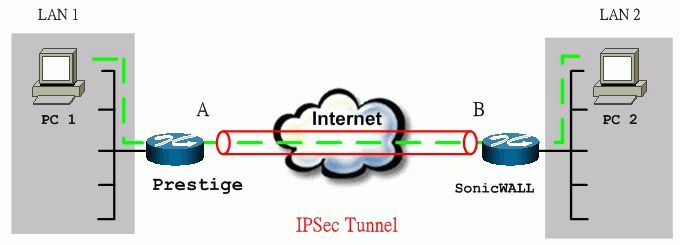
http://www.zyxel.com/support/supportnote/p652/app/zw_sw.htm
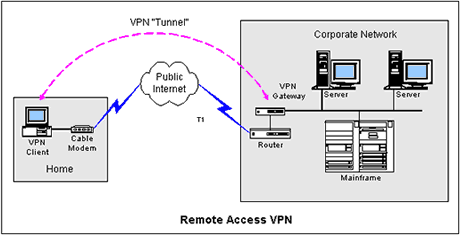
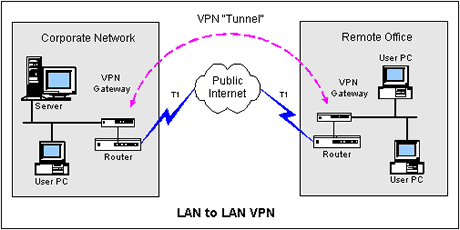
What does a VPN tunnel have to do with this?
You couldnt of said it better SNOW :lol:
Sorry if my original post wasn't made clear...
on my site/sites, I have a logging function that I've created that pulls the IP of the users on the site. (REMOTE_ADDR). I use it for some simple info on reverse DNS, for the purpose of seeing what type of internet connections users are browsing my site on, since the purpose is to locate a new ISP at the site.
Long story short, I've seen tons of blocked IPs in the system some show up as , others as a bunch of + signs.
I'll look at the suggestions here.... an I do appreciate them... but I've just now set up a Direcway DW6000 system, so the Linksys is just inside of that, and I'm still new to the config on the DW6000. (YES, that was my only real option for high-speed. :( )
So with the new equip that appears to be very unconfigurable to the end user... <searches for a hammer> I'll have to do some experimentation.
Thanks!!!
We're a friendly, industry-focused community of developers, IT pros, digital marketers, and technology enthusiasts meeting, networking, learning, and sharing knowledge.