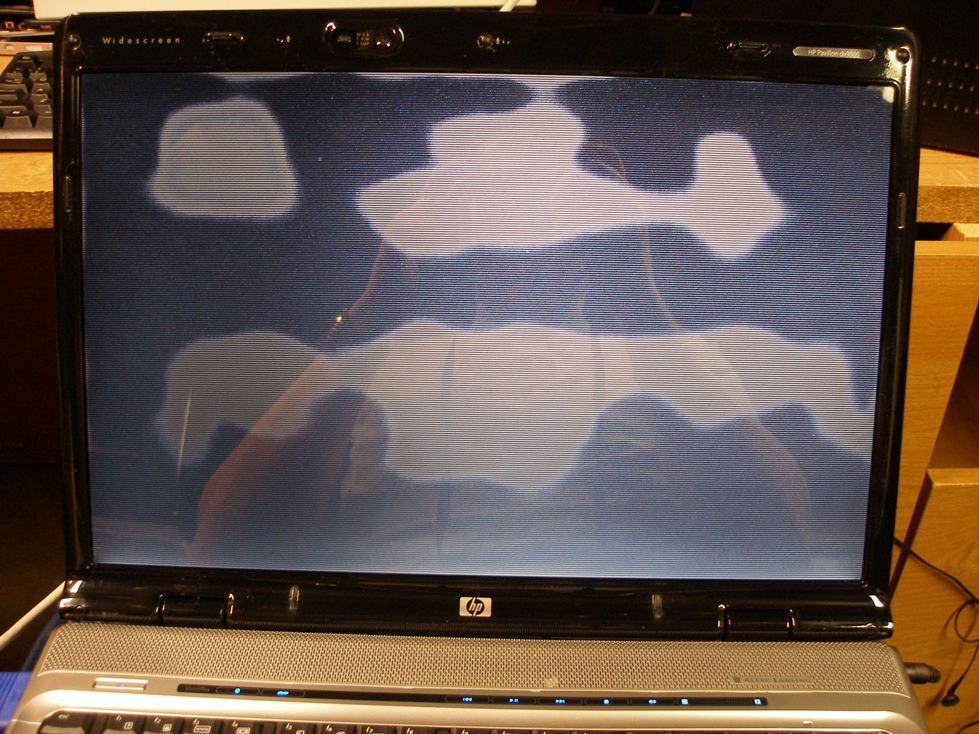
Hi, I have a laptop with 17 inch LCD . The LCD will not display an image other than black background and white cloud like shapes that start about 3-4inches in diameter and then spread to cover the entire screen until its mostly white all over. Is this a possible backlight problem or power inverter or should I just look into buying a replacement screen?

Please HELP!!!
Dani AI

Generated

Thread follow-up and practical diagnostics tied to the replies from , and .

A display that develops localized bright/white patches that grow across the panel can come from three broad sources: the LCD panel itself, the backlight/inverter (older machines with CCFL), or the LVDS/video cable / connector. The motherboard/GPU is less likely when an external monitor shows a clean image. A short checklist below helps isolate which component is at fault before buying parts.

Common diagnostic steps

  • Connect an external monitor (VGA/HDMI). If the external image is normal the GPU is fine and the fault is in the display chain (panel, inverter/LED driver, cable). If the same artifact appears externally, suspect motherboard/GPU.
  • Flashlight test: with the laptop on, shine a bright flashlight close to the screen at an angle. A faint desktop visible under the flashlight means the LCD is receiving video but the backlight is not working properly (inverter/CCFL or LED driver). No faint image suggests a failed LCD matrix.
  • Watch for symptoms: inverter/backlight issues usually cause overall dimming, flicker or no light; panel failures often show irregular bright patches, color shifts or pressure-dependent changes.
  • Reseat and inspect the LVDS cable at both the panel and motherboard ends and check hinge wiring for damage; a loose or chafed cable can produce intermittent bright/white artifacts.
  • If comfortable doing repairs, testing with a known-good inverter or panel (matching part number) is the fastest confirmation. Otherwise, seek a shop.

Safety and next steps

  • Power down, remove battery/AC before opening. CCFL inverters and their wiring can carry high voltage.
  • For older (2008-era) laptops expect CCFL+inverter; modern units use LED drivers (diagnosis steps are the same but part types differ).
  • If external monitor is fine and the flashlight test shows no faint image, panel replacement is the likely fix; if a faint image appears, start with the inverter/driver and cable.

Recommended Answers

All 2 Replies

Did you ever figure out what your problem was? I have a similar problem on a Dell Laptop.

normally it's the LCD panel need a replacement...if not the mainboard of the LCD..

Be a part of the DaniWeb community

We're a friendly, industry-focused community of developers, IT pros, digital marketers, and technology enthusiasts meeting, networking, learning, and sharing knowledge.