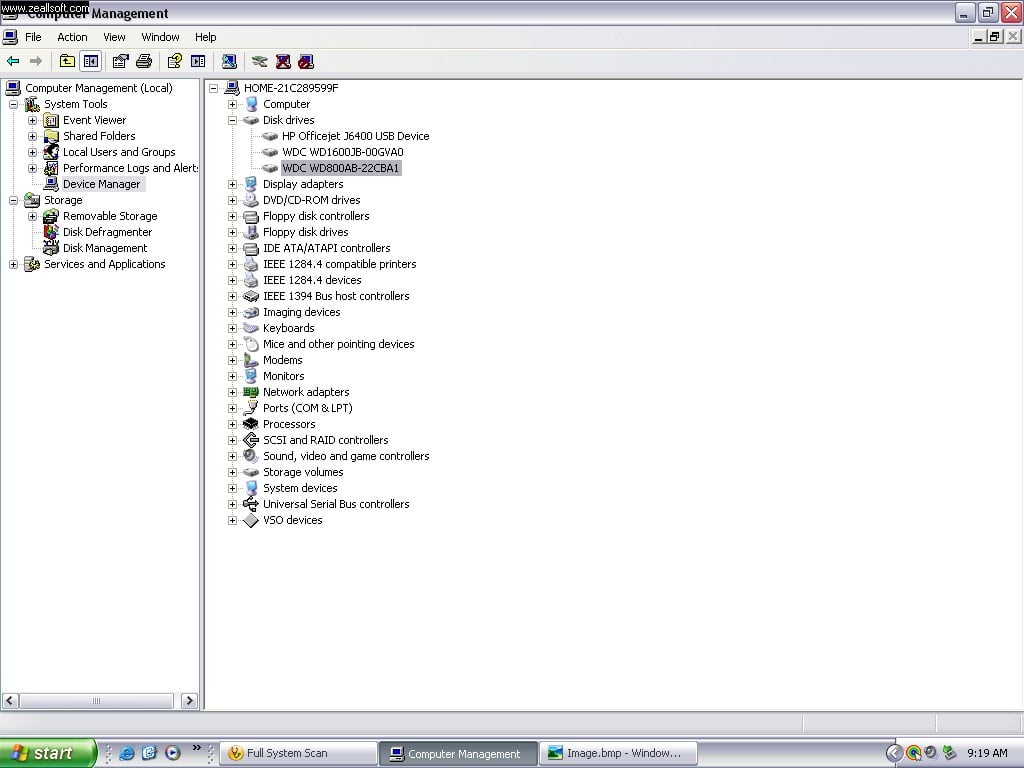
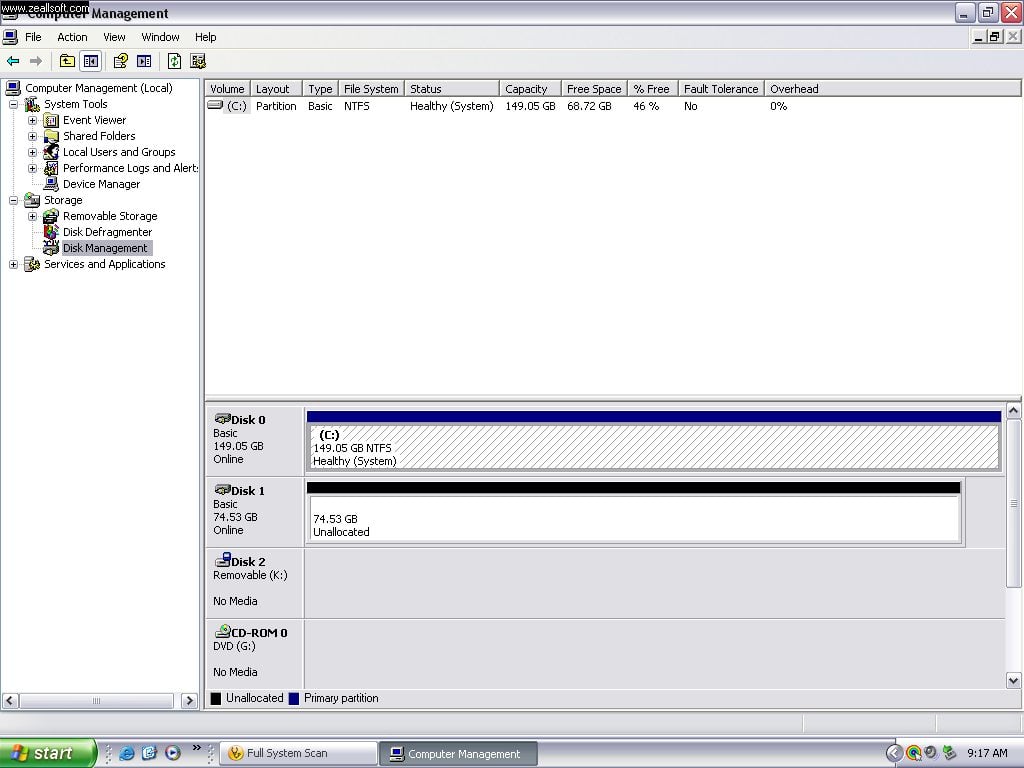
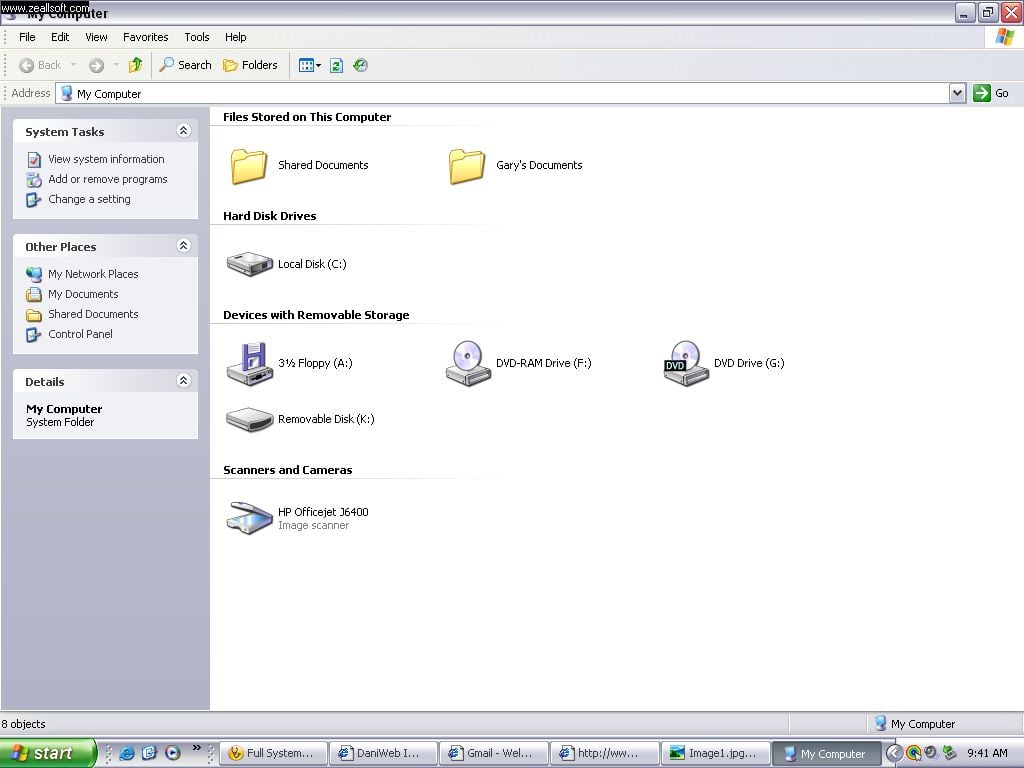
My Secondary hard drive has disapeared. I can see the drive on Disk Management but it isnt listed under "My Computer" so i thought i would check to see if was showing up a under Disk Management and it shows but the drive states "UNALLOCATED" it also shows up in the Device Manager under Disk Drives I've tried everything possible and I don't wanna lose any data from the drive if possible any suggestions or a solution would be very helpful thanks

Dani AI

Generated

This looks like a logical/partition-level problem rather than a complete mechanical failure: the device is being seen by the OS but there are no usable volumes. First priority is to avoid any operation that writes to the affected disk (do not initialize, format, or let Windows “fix” the disk if prompted). Overwriting the partition table or filesystem will make recovery much harder.

Recommended, safe workflow (do these in order):

  • Create a full sector-by-sector image of the suspect disk to a different physical drive before attempting repairs. Boot from a Linux live USB to avoid accidental writes and use GNU ddrescue to image the disk so bad sectors are handled safely. Example:
    sudo ddrescue -f -n /dev/sdX /mnt/backup/sdX.img /mnt/backup/sdX.log
    # later, to retry bad areas:
    sudo ddrescue -d -r3 /dev/sdX /mnt/backup/sdX.img /mnt/backup/sdX.log

    Destination must be the same size or larger than the source. Work only on the image file after imaging.

After imaging, attempt logical recovery from the image:

  • Use TestDisk to search for lost partitions and restore the partition table (Analyze → Quick Search → Deeper Search → list files → write). Example:
    sudo testdisk /mnt/backup/sdX.img

    If TestDisk cannot restore a usable filesystem, use file-level recovery (PhotoRec, Recuva, commercial tools) on the image. Do not run CHKDSK or similar on the original device/image until a stable recovery plan exists—those utilities can worsen corruption.

Hardware and triage notes: reseat data/power cables or try the drive in another PC or via a USB-SATA adapter (as suggested). If the drive is IDE, verify jumper settings (as pointed out); SATA drives don’t use master/slave jumpers. Check SMART with CrystalDiskInfo or smartctl; if the drive clicks, clunks, or shows severe SMART failure, stop and consult a professional data‑recovery service. These steps preserve the best chance of recovering data.

Recommended Answers

All 4 Replies

Have you tried 'scan for hardware changes' in device manager?

Yea I tried that as well as a system restore thanks for your response I have taken a few snap shots so you can see whats going on. The drive that Is not displaying is highlighted in the first photo of the Device Manager

Device Manager

Disk Management

My Computer

Maybe you can disconnect the drive then boot up. Then shutdown again, re-connect the drive and boot again. Not sure what else you can do.
Maybe the drive is faulty.

Try To Change The Jumper Settings Of You Both Drives

Be a part of the DaniWeb community

We're a friendly, industry-focused community of developers, IT pros, digital marketers, and technology enthusiasts meeting, networking, learning, and sharing knowledge.