Hi everybody
How are you?
well, i need usb dirver of qmobile model Q9 for windows7, few drivers are given on offical website but windows7 is not recongnizing them. so please help me in this regards.
thanks q9
Dani AI

Generated

A concise troubleshooting summary and next steps tied to the replies from and .

The immediate diagnostic is Device Manager: expand the USB / Portable Devices nodes and find the entry that appears when the Q9 is plugged in. Capture the device’s Hardware Id string (the value that starts with USB\VID_...&PID_...) — that exact string is what’s needed to match a driver. Public spec listings for the QMobile Q9 indicate it’s a 2012 QWERTY/feature phone (it will usually present as USB Mass Storage or an MTP/portable device). (learn.microsoft.com)

If Device Manager shows an unknown device or an MTP error, try these steps in order: use a known-good data cable and a rear-panel USB 2.0 port; reboot and try another PC to rule out hardware/cable; in Device Manager right-click the problem device → Properties → Details → Hardware Ids and copy the top string; use an online USB ID lookup to translate the VID/PID to a vendor/chipset. If Windows reports an MTP install failure, uninstall the device entries, then Update Driver → Browse my computer → Let me pick from a list and choose “MTP USB Device” (or point to wpdmtp.inf). These actions follow Microsoft’s recommended hardware-id and MTP troubleshooting procedures. (learn.microsoft.com)

If the hardware-id shows a MediaTek (MTK) chipset or MTK strings, the correct solution is the MediaTek USB (Preloader/VCOM) drivers so Windows can enumerate the device (and so tools like SP Flash Tool will work). MTK drivers often install manually via Device Manager (Have Disk / pick the INF); on 64-bit Windows a warning about unsigned drivers is normal — follow Microsoft guidance for test/boot options only if the driver is from a trusted source. Common practical tips: try “Add legacy hardware” if automatic install fails, avoid charging-only cables, and keep driver downloads to reputable sources (device maker, XDA/community pages or the official MTK/SP-tool pages). (xdaforums.com)

Summary: capture the USB\VID_…&PID_… string (Device Manager → Details → Hardware Ids), identify the vendor, then install the matching driver family (MTP/UMS or MTK VCOM). These three facts — hardware id, vendor lookup, correct driver family — will solve most Windows 7 recognition problems. (learn.microsoft.com)

Recommended Answers

All 2 Replies

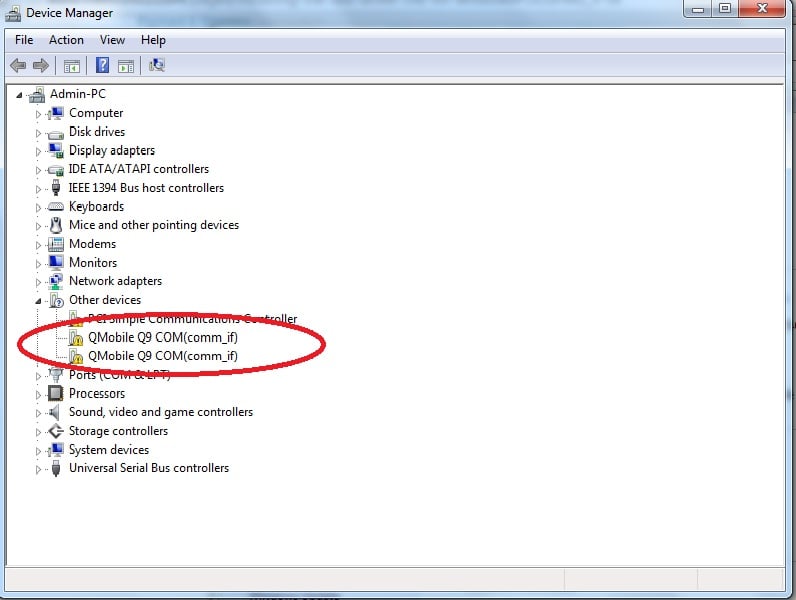
What does it show when you click on the last item "Universal Serial Bus controllers"?

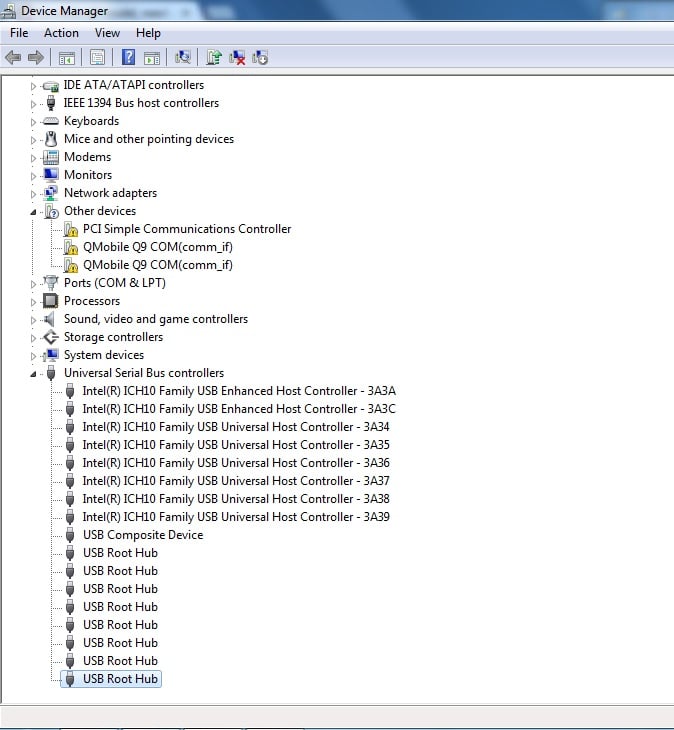
please check attached screenshot to know what it shows me when i click on that last item.
q9-2

Be a part of the DaniWeb community

We're a friendly, industry-focused community of developers, IT pros, digital marketers, and technology enthusiasts meeting, networking, learning, and sharing knowledge.