Chaps, just bought a Hard drive docking station for my 3.5" Hard Drive.
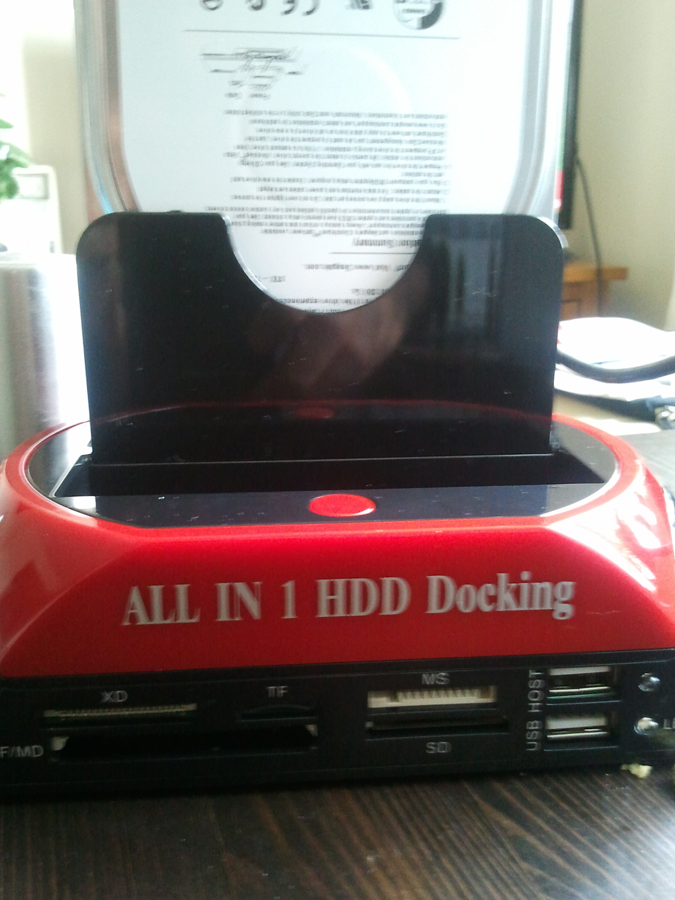
This can be used for all sort of things, 3.5, 2.5, SD, USB etc etc, you can see it in the first picture 6d7dc6ccb7cbf1014d447a842a474237
At the bottom there is a button that has allegedly something to do with what sort of HD you use: one position if for 3.5' and one is for 2.5'. I had a look on the instruction, on youtube and some guides I have managed to download from the net but none of them mentions this at all. I left the switch as it is in the picture
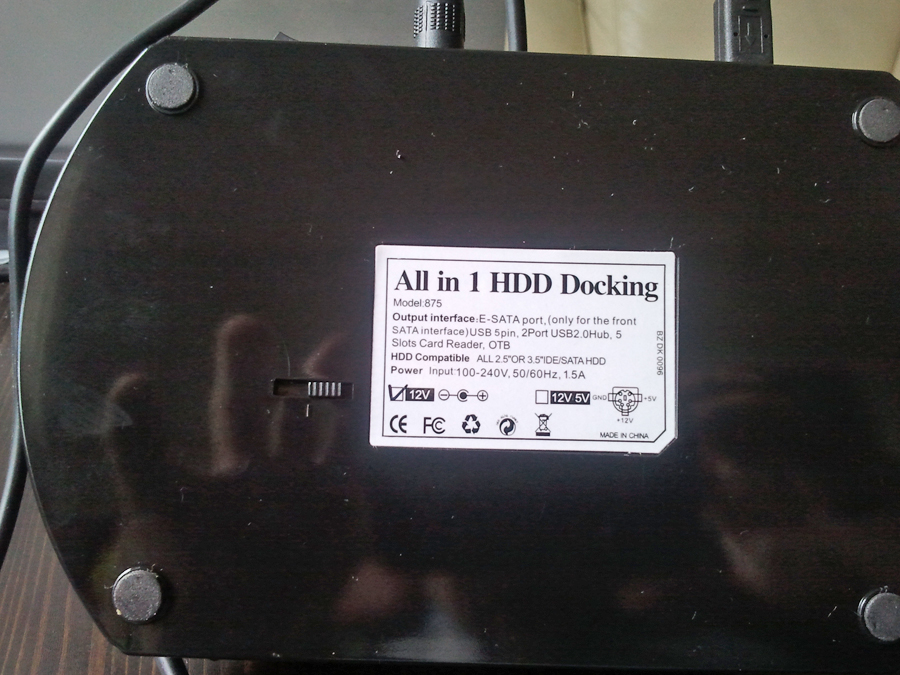
6c03461a3a9c6c32b5862b04faa6dfad

and I plugged my 3.5'HD. It worked and the data seem to be opening ok, so hopefully I haven't fried anything but I wonder how true this thing with the switch it. If you wonder where I icked that up, it was from the picture that is on ebay, you can see it here if you scroll down
Has it got anything to do with the power supply or something? Any idea as to what I should do?
thanks

Dani AI

Generated

A concise note about the bottom switch and safe use of that dock.

Seeing a 3.5" drive spin up and mount is a good sign — it means the dock supplied the voltages the drive needed and there is no obvious immediate damage. The switch pictured is very likely a power-mode selector: 2.5" (and USB/SD) devices run from the +5V rail only, while desktop 3.5" HDDs also require a +12V rail for the spindle motor. The switch usually enables or disables the 12V line (and sometimes changes how much spin‑up current is allowed), so setting it correctly matters when moving between 2.5" media and 3.5" media.

Useful checks and safe practices:

  • Use the dock’s original AC adapter and read its label for voltage/amperage ratings; under‑rated adapters can fail at spin‑up.
  • Set the switch to the correct mode before inserting a drive.
  • If unsure whether hot‑swap is supported, power the dock off before changing drives.
  • If a drive fails to appear, check the host OS tools (Windows Disk Management, macOS Disk Utility, Linux lsblk/dmesg) and listen for abnormal clicking or smells — those are signs to power down and test the drive elsewhere.
  • Repeated failed spin‑ups or visible damage warrant stopping use and testing the drive with another known‑good enclosure or SATA cable.

Credit to for the helpful reassurance earlier; to be precise, 2.5" devices use +5V only and 3.5" desktop drives need the +12V motor rail as well. Supplying the model number and the adapter’s printed ratings will allow exact confirmation of how that particular switch operates.

Recommended Answers

All 2 Replies

Hello Violet, glad to see that you finally managed to recover your data, after your previous post!

I can't think of any reason for it to change the voltage, consider there are two different slots for the different sized HDDs. As you are using a 3.5" HDD I wouldn't worry about it, as the 3.5 shall require a higher voltage than a 2.5 anyway, so you won't of done any damage or risked frying anything!

If you do end up using a 2.5" HDD, just flip the switch and see what happens. The HDD should regulate the voltage itself (to an extent, obviously sending 240V through it won't help), but a 2.5" takes around 5V and a 3.5" around 10V (both require a bit more when they spin up to begin with).

hi AHarrisGsy,
yes thanks all seemed to have gone well! ok if you say it's safe then I will do what you said, I don't think I will use a 2.5" for quite a while anyway. I assume I can leave the switch wherever it is even if I use a usb and/or a sd card? Unfortunately I don't know much about voltage etc etc so it is completely new stuff for me!

Be a part of the DaniWeb community

We're a friendly, industry-focused community of developers, IT pros, digital marketers, and technology enthusiasts meeting, networking, learning, and sharing knowledge.