Netflix's Free App Streams to iPhone and iPod Touch

PCBrown 0 Tallied Votes 408 Views Share

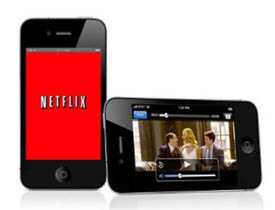
Netflix subscribers who also happen to own an iPhone or iPod touch are now able to stream content to their devices over 3G or WiFi, a feature reserved for iPad users until yesterday.

The app is available for free in the App Store for members, but obviously requires a subscription, starting at $8.99 for mail service with streaming included. Users are technically getting this as a perk, so Netflix isn't expected to support their entire Watch Now catalog. Viewers are limited to films from distributers that have agreed to support mobile devices. Relativity Media is one such studio, and in July, they signed a contract to release films on Netflix prior to DVD. They are the first studio to sign a deal like this with Netflix, and with rising competition from the likes of Hulu and Redbox, it may be a while before others follow suit.

Netflix is committed to stay afloat though, pushing their content to an increasingly wide range of devices. 61% of their subscribers can access video from mobile devices, video game consoles, computers, and modern TVs with support for internal apps. Verizon is one of their serious competitors in the streaming market. Earlier this month, they announced that subscribers of FIOS TV can access content on an iPad in the near future. One thing holding providers back from supporting all devices under the sun is bandwidth. Mobile devices that rely on 3G for streaming will be at the mercy of service providers. Spotty signals mean video streams with low bitrates and skipping. Hopefully WiMax and HSPA will alleviate these issues down the road.

If you aren’t one of Netflix’s 15 million subscribers, but want to match movies on the go, all it takes is $8.99 to join the fun. If you still aren’t sure, there is always the free trial. Sorry Android users, still no love from big red. Keep those fingers crossed.
Dani AI

Generated

Good summary, . A few practical clarifications and troubleshooting tips that weren’t in the original post — useful for anyone who finds this thread long after the launch.

The iPhone/iPod touch app was released as a universal iOS app in late August 2010. It required iOS 3.1.3 or later, supported streaming over both Wi‑Fi and 3G, and used adaptive switching to keep playback going as network conditions changed; playback position could also sync with other Netflix-enabled devices. (prnewswire.com)

Important limitations to expect at launch: there was no offline/download option, so everything required a live connection, and mobile streaming could quickly eat through a carrier data cap. Some titles will not appear in the mobile app because of licensing restrictions; when that happens the Netflix help pages show device-specific error codes and next steps. (wired.com)

Quick checklist if playback is poor or a title won’t play:

  • Update the Netflix app and the device OS to the latest supported versions.
  • Sign out and back in, then restart the device.
  • Switch to a known-good Wi‑Fi network (3G/EDGE will vary by signal and carrier).
  • If a specific title is missing or gives an error code, note the code and consult Netflix Help (device-specific troubleshooting and error-code guidance).
    If problems persist after these steps, remove and reinstall the app or check Netflix’s support pages for the exact error text. (help.netflix.com)

These points fill the gaps about device requirements, offline limitations, and practical fixes that commonly confuse people trying the app for the first time.

Be a part of the DaniWeb community

We're a friendly, industry-focused community of developers, IT pros, digital marketers, and technology enthusiasts meeting, networking, learning, and sharing knowledge.