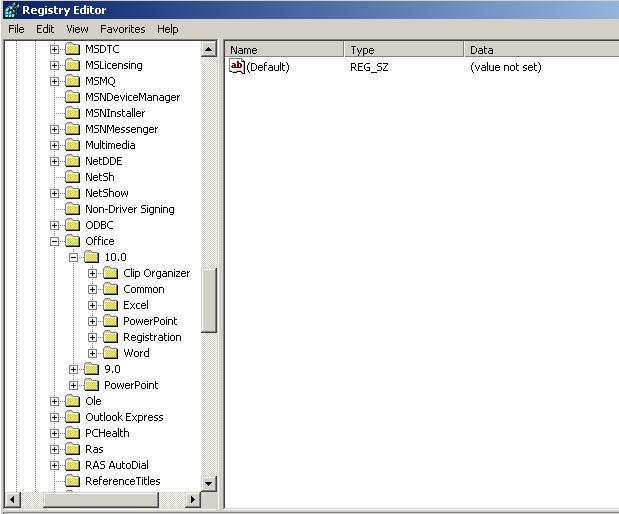
yesterday in my Pc outlook express bullitin is hidden , its not showing , also when i go in add / remove programs there is already check but showing size 0.0 MB there , here are some screen shorts , so pls tell me how i can get bullitin outlook express ?

Dani AI

Generated

As reported, Outlook Express is not visible and the Add/Remove entry shows 0.0 MB. was right to flag the OS/SP question — paths and repair options differ by version — and ’s suggestion that the component may need to be restored is on target. Before attempting a reinstall, collect a few diagnostics and secure the mail store so messages are not lost.

  • Run winver to confirm the exact Windows version and Service Pack.
  • Look for the OE executable at C:\Program Files\Outlook Express\msimn.exe. If the .exe is missing the files were removed but the registry entry may remain.
  • Search the system for *.dbx (mail folders) and copy any results to a safe folder on another drive or USB. Typical store path on XP is C:\Documents and Settings\<user>\Local Settings\Application Data\Identities\{GUID}\Microsoft\Outlook Express\.
  • Check Start Menu entries under C:\Documents and Settings\<user>\Start Menu\Programs and C:\Documents and Settings\All Users\Start Menu\Programs for shortcuts.
  • From an elevated command prompt run sfc /scannow to attempt recovery of missing system components (installation media may be required).

If you find .dbx files, back them up first (close OE or any mail client while copying). After you restore the program files (repair, run SFC, or use matching installation media), use OE’s Import tools or replace the new store with your backed-up .dbx files; importing is safer because it avoids identity/permission mismatches. If a new Windows user account shows Outlook Express normally, the problem is likely profile-specific and you can migrate mail by copying the backed-up .dbx files into the new profile’s store.

Always export or copy mail stores and address book files before making repairs, and export the registry (use regedit Export) prior to any edits. If malware is suspected, run a full scan before restoring components.

Recommended Answers

All 2 Replies

xp or 2000? which SP?

if its xp sp2/3 then under the thing where you add/remove programs choose "Set program access and defaulys" and set express to be your default email client + check its enabled

in the add remove section put a check mark next to outlook express. this will copy the program to you computer. You might need the installation CD

Be a part of the DaniWeb community

We're a friendly, industry-focused community of developers, IT pros, digital marketers, and technology enthusiasts meeting, networking, learning, and sharing knowledge.