Hy All

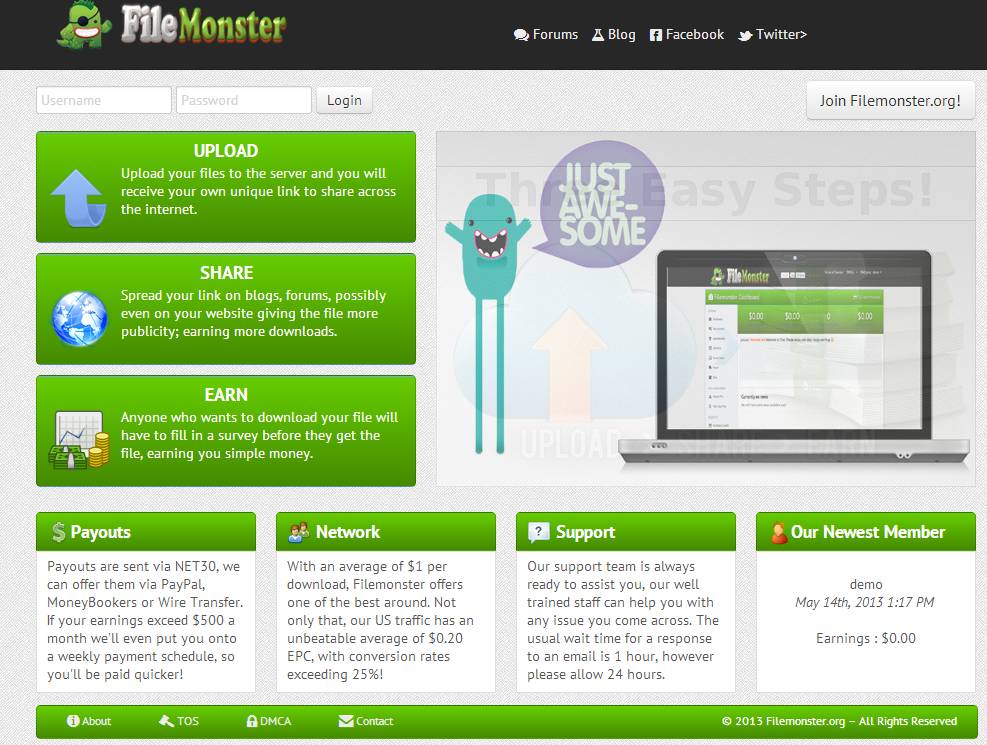
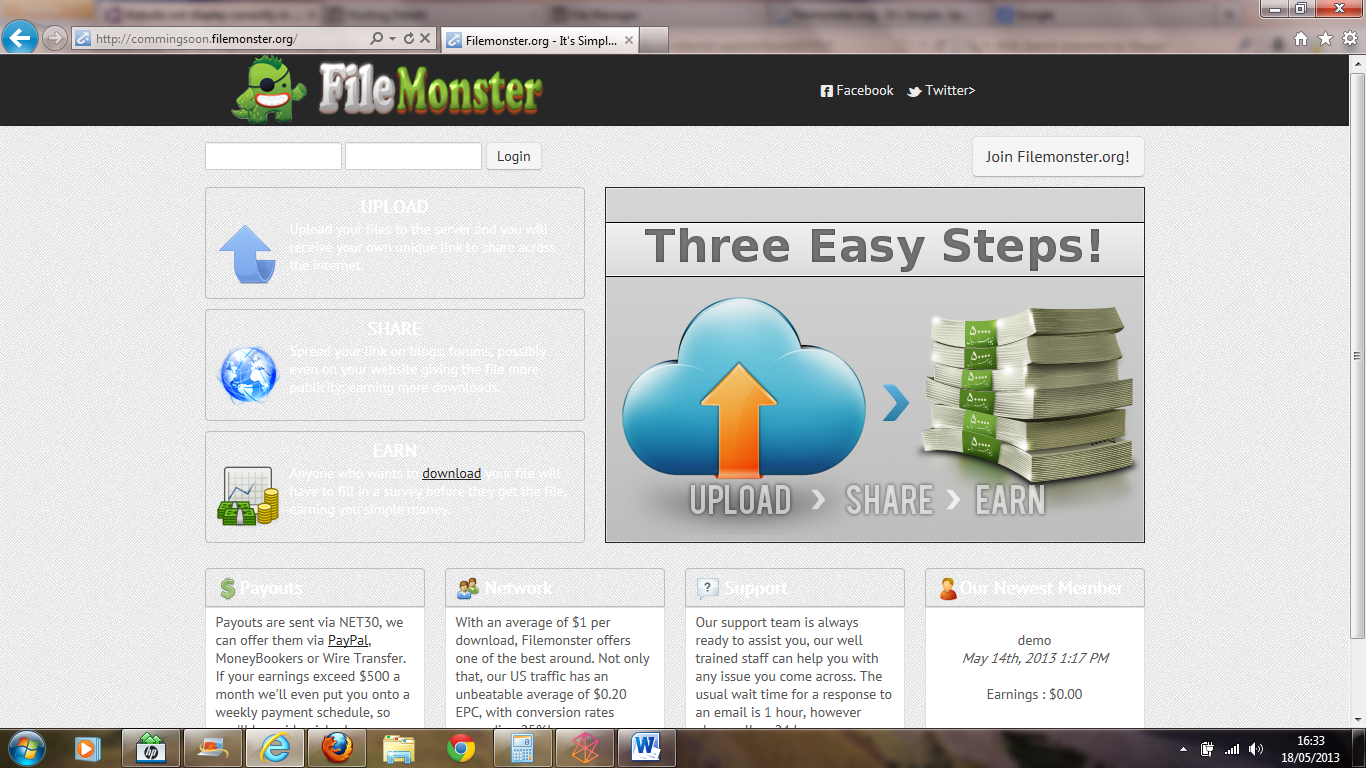
I have a website, and i just got a new script platform for it. I start to test the site when i notied the site is not fully working when i use internet explorer. Its seems like internet explorer didnt want to load pictures or other details and its really annoying as i cant launch my site before i get this sorted. I try to contact with the developer but he seems like "gone missing" Can anyof you give me an advice or helping hand how to fix the problem? The link what you can check is commingsoon.filemonster.org I try with firefox and its fine, but with intetnet explorer its just looks riddicilous.

Dani AI

Generated

A concise troubleshooting roadmap that ties together the helpful hints from and and points at a fast path to a temporary fix for ’s commingsoon.filemonster.org problem.

A focused diagnostic workflow:

  1. Use IE’s developer tools (F12): check the Console for JS errors, the Network panel for 404s or blocked resources, and the Emulation/Document Mode to see if IE is being forced into an older rendering mode.
  2. Confirm HTTP responses for images/CSS (200 vs 404/403) and correct MIME types; Linux hosts are case‑sensitive so filename case mismatches are common when things work locally but fail on the server.
  3. Make sure the page has a standards DOCTYPE and nothing (server header or meta) is forcing an older compatibility mode. A commonly used meta to request the latest IE mode (place near the top of the head) is:
    <meta http-equiv="X-UA-Compatible" content="IE=edge">
  4. Look for script errors that abort later DOM/CSS fixes — one uncaught error can stop enhancements that would otherwise display UI elements.

Practical short-term fixes for a deadline: follow ’s idea and add a small override stylesheet loaded after bootstrap that supplies simple fallbacks (solid background colors, explicit width/height, image fallbacks for decorative gradients). Conditional styles for legacy IE (until IE9) can be used as a temporary band‑aid. If images are blocked, check mixed‑content (HTTPS vs HTTP) and any hotlink protection on the image host.

Longer term: adopt progressive enhancement and feature detection (Modernizr), use a build step (Autoprefixer) to generate vendor prefixes, add cross‑browser automated or manual checks (BrowserStack/VMs), and keep the site in version control so a working state can be restored if the original developer is unavailable. Combining the F12 diagnostics with the small override stylesheet will usually expose the root cause quickly.

Recommended Answers

All 12 Replies

Well from a first look at it, it seems like your developer built this website for mozilla users only (but I'm not sure, haven't checked it thoroughly. Your website makes use of some CSS3 properties like border-radius and gradiests, at least I think they're CSS3 properties :p, but they're probably not supported in IE8 and lower, is my first guess.

A quick fix would be removing all the CSS of the elements that are not displayed properly in IE and restyling the elements by giving them the proper dimensions and a background image, for example.

Hmm ok I'm not a CSS expert, but this is what I would do if I needed a quick fix, there might be better ways but I don't know of any that fast.

Is your developer back? It displays fine on my IE.

for me still showing without some elements, i dont know what to do know as im getting closer to the deadline. Any more suggestion?

OK, here are my chrome and IE7 (IE10 with developer tools) screen shots. What am I not seeing?

What you see paulkd is the right way but here is the screenshot when i open in the IE9

OK, I cannot reproduce this on IE10 with developer tools @ IE9.

However, the gradients that your image has problems with appear to be classes feat-head and steps in bootstrap.css

Using this CSS3 generator tool you could import the mozilla gradient line and use the generated code for your classes.

I would suggest a temporary css file to override the bootstrap file.

Can you explain exactly how to do and what to do?

Your bootstrap file currently has the class steps as:-

.steps {
  background-image: linear-gradient(bottom, rgb(69,139,0) 3%, rgb(102,205,0) 99%, rgb(117,171,234) 100%);
  background-image: -o-linear-gradient(bottom, rgb(69,139,0) 3%, rgb(102,205,0) 99%, rgb(117,171,234) 100%);
  background-image: -moz-linear-gradient(bottom, rgb(69,139,0) 3%, rgb(102,205,0) 99%, rgb(117,171,234) 100%);
  background-image: -webkit-linear-gradient(bottom, rgb(69,139,0) 3%, rgb(102,205,0) 99%, rgb(117,171,234) 100%);
  background-image: -ms-linear-gradient(bottom, rgb(69,139,0) 3%, rgb(102,205,0) 99%, rgb(117,171,234) 100%);
  background-image: -webkit-gradient(
    linear,
    left bottom,
    left top,
    color-stop(0.03, rgb(69,139,0)),
    color-stop(0.99, rgb(102,205,0)),
    color-stop(1, rgb(117,171,234))
  );
  border: 1px solid rgba(0,0,0,0.2);
  border-radius: 4px;
  color: #ffffff;
  height: 100px;
  margin-bottom: 10px;
  padding: 5px 10px;
}

so I would copy paste the -moz background image line....

background-image: -moz-linear-gradient(bottom, rgb(69,139,0) 3%, rgb(102,205,0) 99%, rgb(117,171,234) 100%);

....into the css generator by clicking the "import from css" button and paste it into the revealed text area, and click the "import" button.

The code will CSS code will be updated. If you hover over the CSS code a "copy" button appears which, when clicked, will copy the new CSS to the clipboard.

Paste the new code into a new CSS file and have this called after the bootstap.css file.

wrapping it in .steps {} of course.

or...... sometimes you can over-engineer things...

see if adding background:green; to the .steps class helps.

I add that one line (-moz-linear-gradient(bottom, rgb(69,139,0) 3%, rgb(102,205,0) 99%, rgb(117,171,234) 100%);) and its shows me a code of at least 30 line isted. Im not really expert of css coding and paragraphs. anyway thanks for you time, but seems like to fix this problem i need someone expert

I think your website is not compatible with internet explorer that is why your site is not displaying correctly. You should use another web browser to open your site with successfully. Generally this kind of problems arrived at the time of web designing.

Be a part of the DaniWeb community

We're a friendly, industry-focused community of developers, IT pros, digital marketers, and technology enthusiasts meeting, networking, learning, and sharing knowledge.