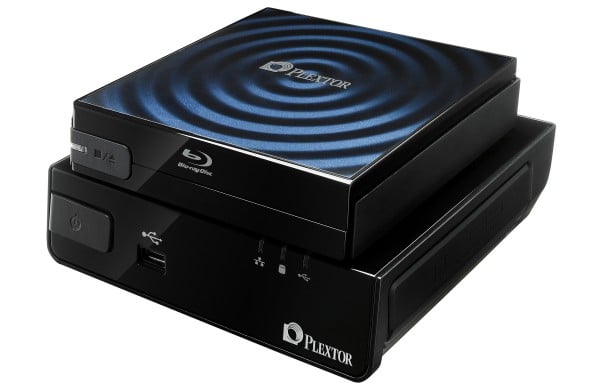
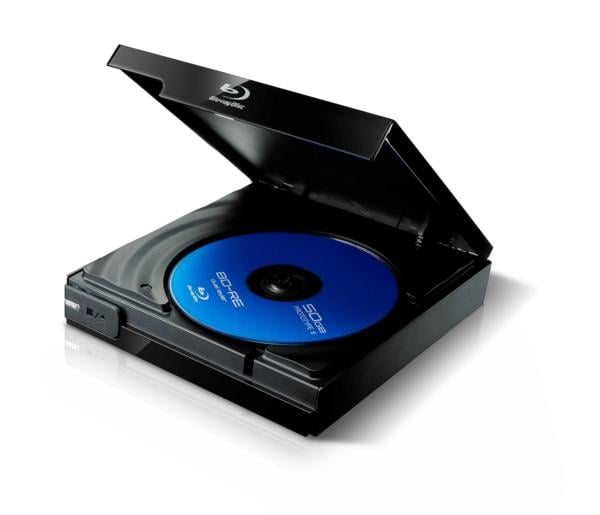
If you’re looking for a competitively priced portable Blu-ray alternative, look no further than Plextor’s recently shipped PX-B12OU.
Available currently only in Europe for €92 including VAT, the 4x BD-ROM drive is an insanely affordable, fully USB operated external option for users still searching for their Blu-ray glass slipper. Not only can it play The Dark Knight in stunning 1080p quality on your next flight, it also doubles as an 8x DVD+RW and a 24x CD+RW drive for all your basic computing needs.
The only thing rivaling its function is its form, which is a completely minimized experience. Similar products are bulky and look like they’ve been stripped right out of your PC and placed directly on your desk. The top-loading drive is no larger than the discs it holds, with a stylish aesthetic accompanying its svelte demeanor. The use of a single USB port to operate the drive eliminates the need for clumsy AC adapters, and in the end, you are left with a clean-cut experience almost as streamlined as the product itself.
While the promise of a cheap, portable Blu-ray player may leave buyers wide-eyed for the jump into high-definition, it should be noted that laptop computers must reach the following minimum specifications to fully utilize its Blu-ray decoding capabilities: an Intel Pentium-D 3.0 or higher CPU, 1GB RAM, an HDCP supported graphic cards with 256 MB RAM and 32-bit color support, an ATI x 1600 or nVidia 7600GT or later GPU, Windows XP SP2 or later, and an HD-compatible display.
The PX-B12OU drive comes bundled with Cyberlink BD Suite with TTHD (True Theater High Definition), Cyberlink Power DVD with upscaling support, a 2-year warranty, and a USB cable, providing a hassle-free HD experience right out of the box. In a world filled with wires, lofty warranty prices, and instructions, who can argue with that?
The fully realized functionality of the PX-B12OU drive is for usage with Plextor’s PlexMedia, a networked HD media player which acts as a dock for the drive. Housing three USB 2.0 ports, an eSata port, a Gigabet Ethernet LAN port, a 3.5-inch internal drive bay, and a variety of methods to connect the device directly into your TV, PlexMedia is designed to be the sun at the center of your home entertainment universe. The best part? Full 1080p support via an HDMI 1.3a output, turning your portable PX-B12OU into a Dolby TrueHD 7.1 supported powerhouse ready to keep your neighbors up at night.
Look for the PX-B12OU, PlexMedia, and a new sense of home entertainment self-worth in the US later this fall.