--------------------------------------------------------------------------------

I plug the power cord into the computer, and the power buttons light up, i press it, and nothing... not the slightest sound. On the inside, there is one LED light that lights up, and other than that there is no sign of life. The computer doesnt do anything. No beeps, no sound no nothing, just the power light and the LED light in the computer, its a dell. What do I do to get this thing to atleast boot? please help me, I got told if i fix it i can have it... an id like to fix it if i could
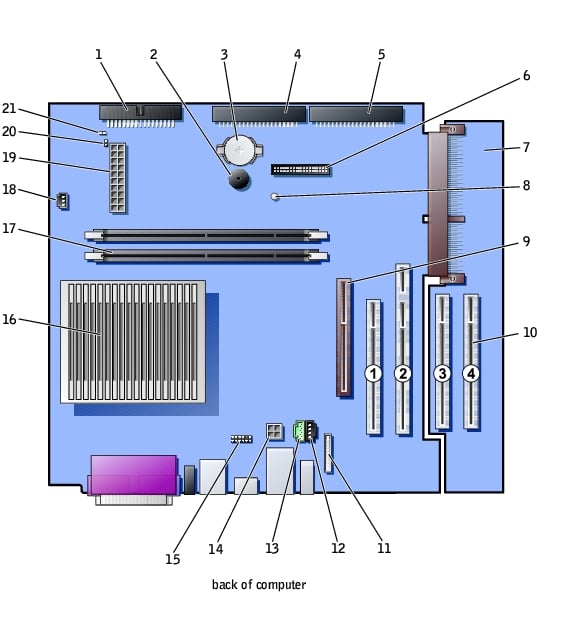
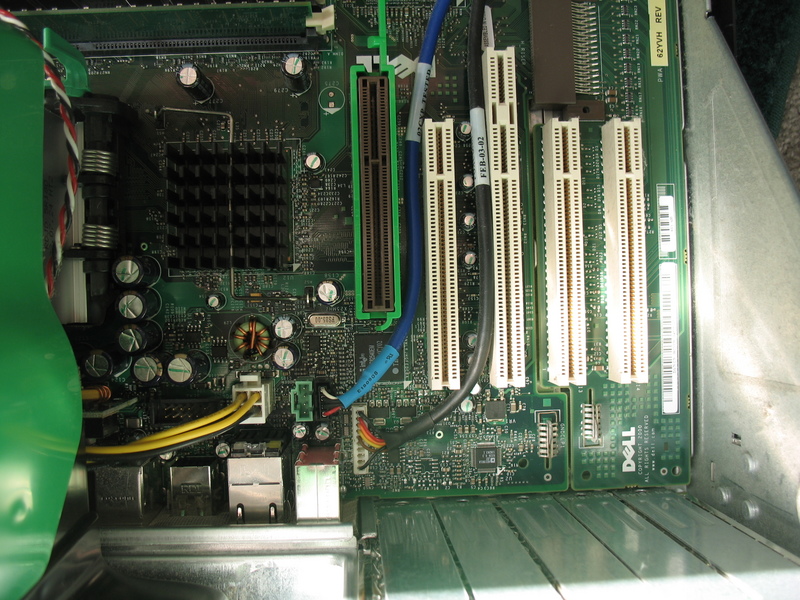
the powersupply uses a foxconn ribon, the computer is an dell optiplex 260... if that helps.... theres is a foxconn ribon connecting the motherboard to a chip that has a headphone jack, two usb ports, then from that chip there is another foxconn ribon that connect to the the chip that contains the 2 LED lights, and the power button
Dani AI

Generated

Thread summary and focused next steps that build on ’s tests and the community replies from , , and .

A steady green front LED most commonly means the power supply’s standby rail (5VSB) is alive but the supply hasn’t been told to turn fully on. In ATX systems the motherboard pulls the PS_ON line low to command the PSU to start; if PS_ON is never asserted the PSU stays in standby and fans/CPU won’t spin. (en.wikipedia.org)

Because you already swapped PSUs and confirmed the case switch works on another PC, the next isolation steps to try (these avoid repeating suggestions already in the thread) are: remove the small front-I/O daughterboard and its ribbon(s) so the board is not connected to the motherboard, then try to start the motherboard by shorting the motherboard power-on pins directly (or momentarily connecting the case switch to the motherboard header). That isolates the mainboard from a bad front-panel subassembly. Also double-check the CPU auxiliary 4/8‑pin power plug is present and fully seated, and try the board outside the chassis on cardboard to eliminate a standoff short. Dell OptiPlex designs commonly use a 34/16‑pin front-panel assembly that can be disconnected for this test. (dell.com)

If disconnecting the front I/O and shorting the power pins still gives only the standby LED, the motherboard is likely not pulling PS_ON low (a motherboard/CPU fault). For a final diagnostic before replacing the board consider a PCI POST/debug card to capture POST codes, or have a shop test PS_ON and the power-good signals with a meter or PSU-tester (these tools tell you whether the motherboard ever asks the PSU to turn on). POST cards and service manuals explain how to read those codes and proceed. If the POST card shows no activity and PS_ON never changes, motherboard replacement is the realistic next step. (pc-doctor.com)

Safety notes: work with the AC unplugged when disconnecting cables, take ESD precautions, and avoid opening PSUs (high-voltage caps). If uncomfortable with a meter or POST card, a local shop can run the inexpensive tests above and confirm whether the front-panel board or the system board is at fault.

Recommended Answers

All 7 Replies

Check first if the motherboard does not have bulging capacitors.

Do you have a spare power supply? Try that one also to isolate the problem.

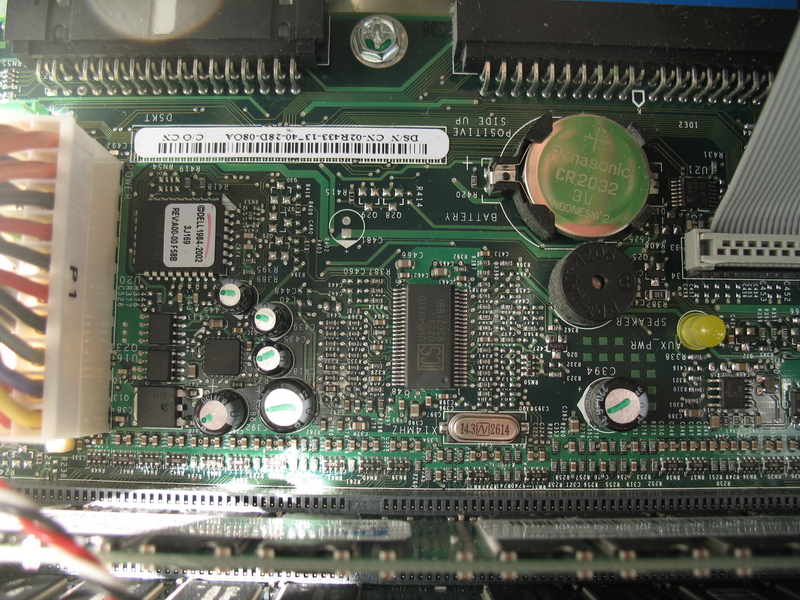
Try also pulling the cmos battery out for 1 hr, and clean it with cloth and put it back again.

Try to clean the contact of your memory stick and your pci vga card (if any) with a pencil eraser and reseat it several times into the slot. Try one stick at a time. Then start.

Post what will happen.

I have taken the power box out of the computer, and ran another computer with it, also i have used another computers power box in this one and all that happens is the green light shows up. on the LED and the switch light. I took the switch out, wired it and it would turn off and on another computer. There is a fox conn ribon going from the mother board to a chip with 2 usb slots, and an headphone jack, and another fox conn ribon that connects to the power switch, could it possibly b the chip that the usb and headphone jacks are connected to?

Your computer internal wirings may have already been tampered. I just sent you some pictures and informations about your computer. You can trace the connections through the color coding. Study them well.

Check all attachments found at the bottom.

This happens to me often, and these are the steps I use to fix the problem:

1. Clear CMOS, remove battery and reverse jumper to short board
Place battery back in cradle and set jumper to normal position.
2. I usually check CPU to ensure it is seated properly
3. Ensure power switch are seated on proper power pins (laugh! I've made the mistake before)

This will usually correct the problem, if not your CPU could be bad or mobo, or in some cases both :(

First try a known working PSU in this PC. Pull your CMOS battery for some time.

if these two things do not work, you have a bad MOBO or CPU. Thats all there is to it.

bad psu, almost always the culprit

you must have a bad mobo, or cpu. if the psu worked in another pc than we know its ok. i doubt anything got miswired, because there is not much to plugging a psu into a mobo, the cpu fan should at least come on.

so in closing, if the psu works in another machine, but not in this one, then you got a bad mobo

Be a part of the DaniWeb community

We're a friendly, industry-focused community of developers, IT pros, digital marketers, and technology enthusiasts meeting, networking, learning, and sharing knowledge.