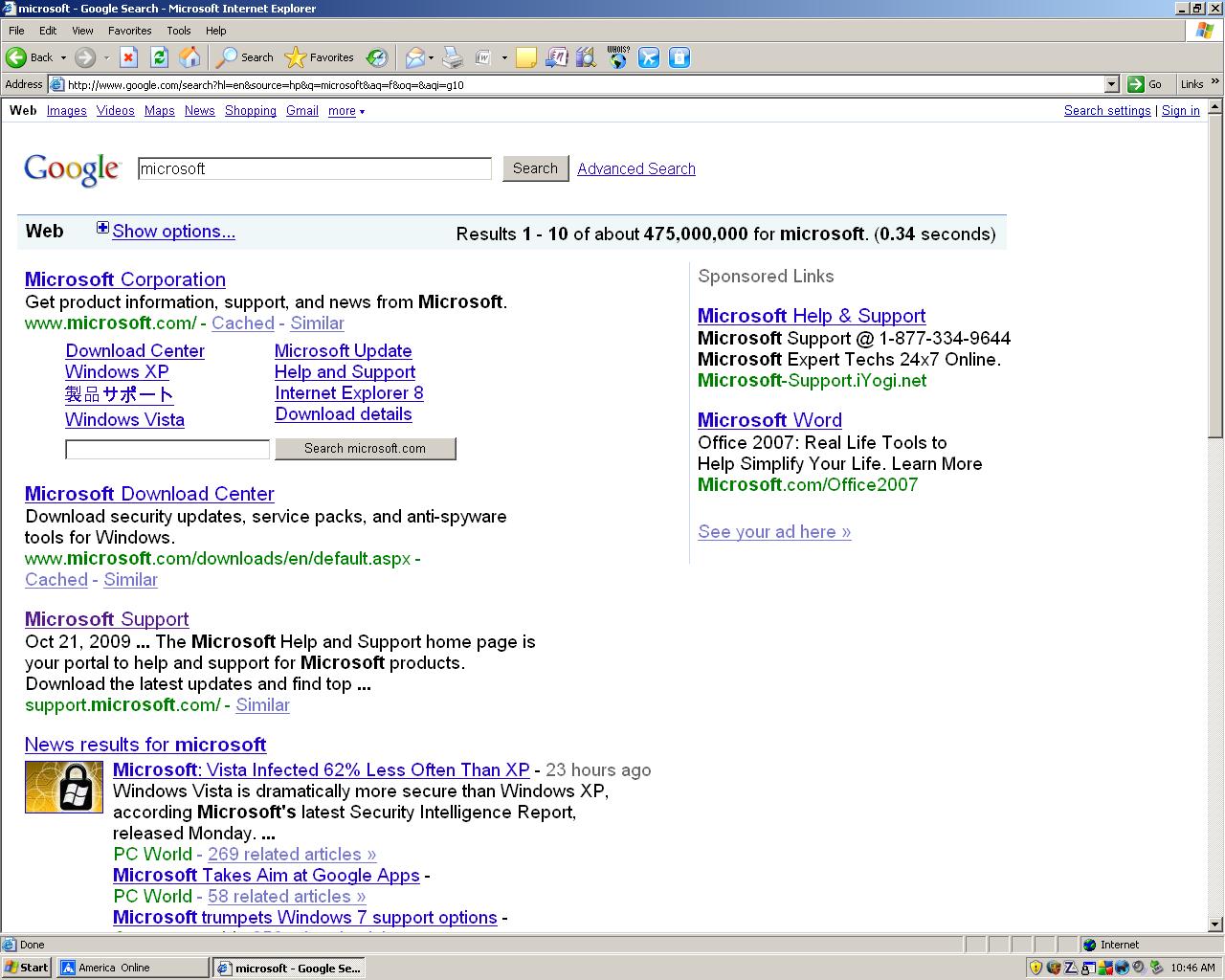
downloaded Microsoft updates and my adrees bar is light grey, all my aol mail is also light gey and difficult to read.
on the google screen the address bar is light grey as well as the block GOOGLE SEARCH AND IM FEELING LUCKY. I am running :
Operating System System Model
Windows XP Professional Service Pack 3 (build 2600)
Dell Inc. OptiPlex GX620
Enclosure Type: Mini-Tower
Processor a Main Circuit Board b
3.00 gigahertz Intel Pentium 4
16 kilobyte primary memory cache
2048 kilobyte secondary memory cache
64-bit ready
Hyper-threaded (2 total)
I have two attachments to depicy the problem

Appreciate your help
Walt Flan

Dani AI

Generated

The gray address/search bars appearing in both IE and Firefox (and the faint text in AOL webmail) points to a browser or OS color override rather than a single-site problem. already tried switching the Start menu out of Classic, and suggested the same — the Start‑menu “Classic” option affects only the Start menu layout, not the Windows visual style that governs toolbar/edit control backgrounds. (learn.microsoft.com)

Internet Explorer — check Accessibility and Colors. Open Tools → Internet Options → General → Accessibility and make sure the three boxes (“Ignore colors specified on webpages”, “Ignore font styles…”, “Ignore font sizes…”) are NOT checked; if any are checked, clear them and restart IE. Also use General → Appearance → Colors if a custom scheme was forced there. These controls are documented by Microsoft and will make IE stop forcing a dull/default scheme over page colors. (support.microsoft.com)

Firefox — check the Colors setting (Tools → Options → Content or about:preferences#content). In Fonts & Colors → Colors…, set the override/“Allow pages to choose their own colors” option so pages are allowed to use their own colors (or set the override to “Never”); that prevents Firefox from globally forcing a different background/text color across sites. The preference labels vary by build but the control is in the Content/Fonts & Colors area. (www-archive.mozilla.org)

If the browser settings are already normal, isolate the source: run IE with no add‑ons (All Programs → Accessories → System Tools → “Internet Explorer (No Add‑Ons)” or run iexplore -extoff) and launch Firefox in Safe Mode to rule out toolbars/themes; also test with a fresh Windows user account (Control Panel → User Accounts) to see whether the problem is profile‑specific. If the OS theme itself was switched to Windows Classic, restore the XP visual style via Desktop → Properties → Themes/Appearance (and ensure the Themes service is running). (learn.microsoft.com)

Recommended Answers

All 4 Replies

Not sure what you're referring to, but looking at your attachments blown up, it looks normal to me for XP's "Classic View".
To change it back to XP Defaults, right click "Start" and select "Properties" and un-check the "Classic View", apply and ok.
I think this is what you meant, correct me if I'm wrong.

Don

I guess that the images are not that accurate to let you see the problem. I did as you suggested and unchecked classic view. there was no change, the address bar is still a light color. In aol when i open an email the email font is a light grey and difficult to read , in google the address bar is a light grey and this is also true for firefox.
thank you for your help
walt

I just checked your attached images again.

The address bar shows white background with black fonts as does the Google search bar, the rest of the page shows normal background and font color.
The AOL mail image is the same, white w/blackfonts.

Sorry I couldn't help.

Don

where doed that leave us?????

Be a part of the DaniWeb community

We're a friendly, industry-focused community of developers, IT pros, digital marketers, and technology enthusiasts meeting, networking, learning, and sharing knowledge.