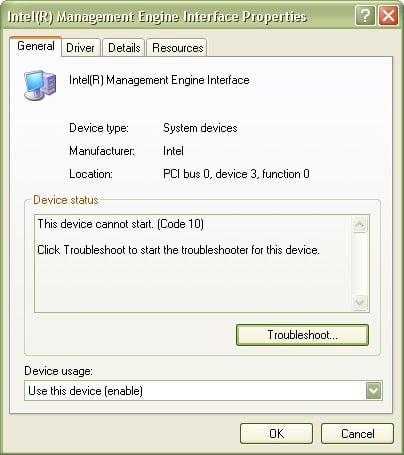
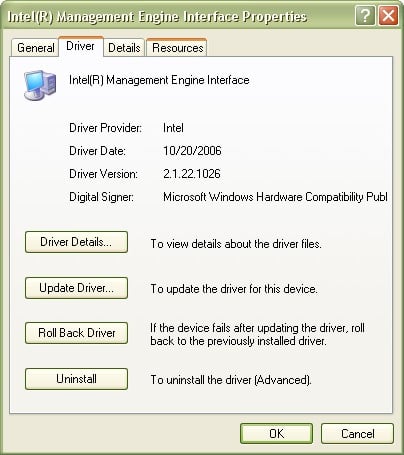
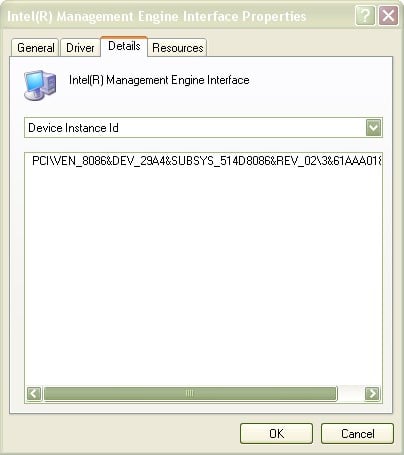
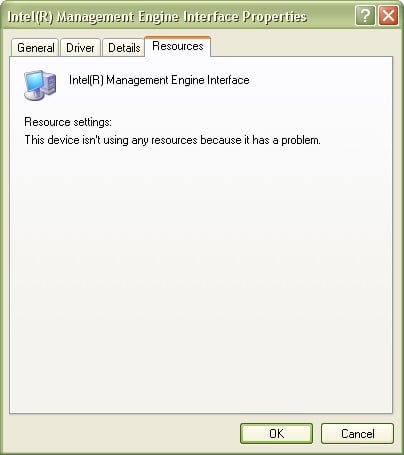
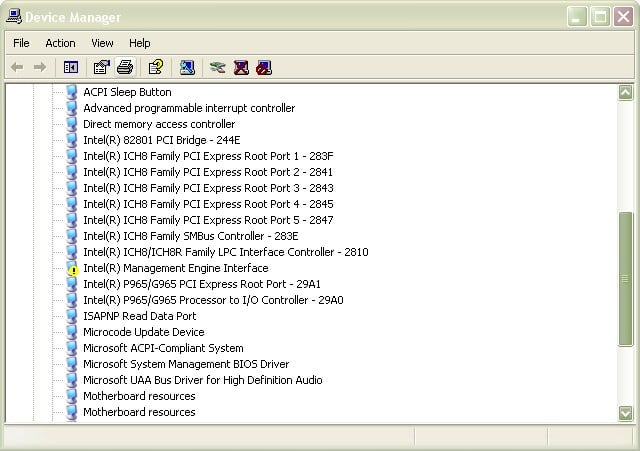
Recently some days ago i was just checking the device manager of my PC. Suddenly i noticed that the device "Intel(R) Management Engine Interface" has a yellow exclamation mark next to it. On seeing it i uninstalled the device and reinstalled it providing drivers from the disc which was supplied by the manufacturer but all in vain. The yellow exclamation mark is still there next to it. I have attached the screen shots along with this post. Please help me out.

Dani AI

Generated

— A yellow exclamation and “This device cannot start. (Code 10)” on the Intel(R) Management Engine Interface usually means Windows cannot start the MEI driver because it cannot communicate with the Management Engine firmware or the installed driver is the wrong/corrupt version. Code 10 is a generic device-start failure in Device Manager, and the MEI driver is the OS-side interface used to talk to Intel ME/AMT firmware. (support.microsoft.com)

Practical checklist (order matters):

  • Obtain the MEI/CSME package from the system or motherboard vendor (OEM) — OEM packages include the correct ME components and firmware-aware installers.
  • In Device Manager uninstall the Intel(R) Management Engine Interface and choose “Delete the driver software for this device” if offered, then reboot so Windows clears the broken driver. After restart install the OEM MEI package (matching OS and 32/64 bit). If the problem persists, install the chipset package from the vendor and check Windows Update for supplemental driver updates. Updating the system BIOS/UEFI from the OEM is often required because Intel ME firmware and drivers are customized per vendor. (intel.com)

Troubleshooting notes and cautions:

  • If the ME driver logs show a handshake failure or the MEI disappears after boot (Code 45 / “not attached”), that can indicate the ME firmware is disabled or has been “neutralized” (tools like me_cleaner alter firmware and will break the driver handshake). Firmware/ME state can sometimes be controlled via the MEBx/BIOS menus on systems that expose it. Do not flash generic ME firmware — Intel and vendors warn firmware updates are OEM-specific; contact the system/motherboard maker if a vendor driver/BIOS update is not available. (github.com)

If the MEI still shows Code 10 after the above, the most reliable next step is an OEM support route: provide the vendor the exact model, OS, and the device/driver details from Device Manager so they can supply the matched ME package or firmware update.

I am providing some additional images related to the problem.

Be a part of the DaniWeb community

We're a friendly, industry-focused community of developers, IT pros, digital marketers, and technology enthusiasts meeting, networking, learning, and sharing knowledge.