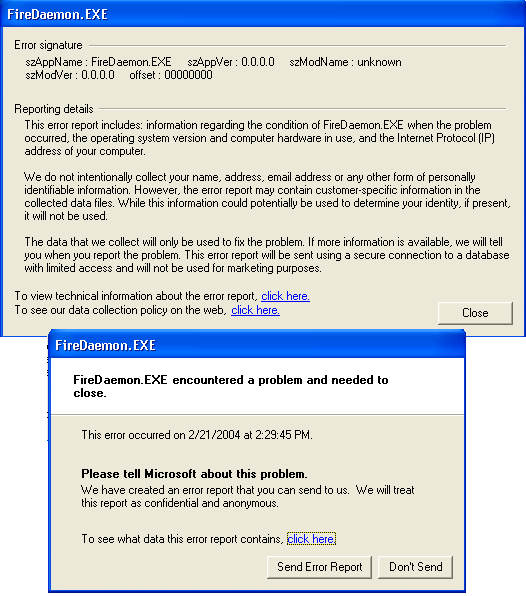
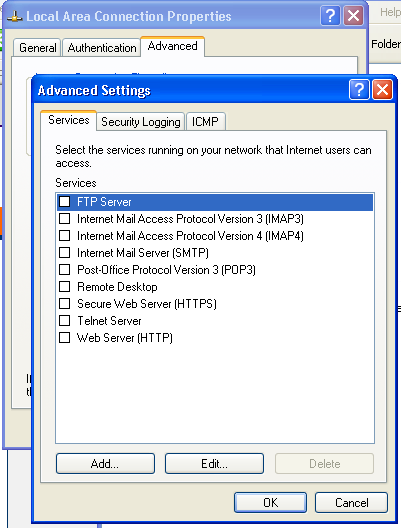
Hey, today someone named Eliza5021 IM'ed me, and said hey i wanna chat. i said whose this? then they said something which I forget, then i said what? because what he said didnt make sense, then he said one mans trash is another mans treasure (your computer for example). about 25 seconds later this came up... im not any computer expert but i think it has need for some attention lol. i know windows xp has a built in firewall or something, but i forget how to enable it. also earlier my computer randomly restarted, but its not the blaster worm. later tonight im scanning the entire computer for a virus, defragging everything, and putting up the firewall if someone can help remind me where it is.

Dani AI

Generated

An odd, out‑of‑context AIM message followed by an error dialog and an unexpected restart can come from three broad sources: a social‑engineering probe or compromised buddy account, local malware, or an unrelated hardware/driver fault. This note builds on points from and and provides a compact, non‑redundant checklist and diagnostic pointers to preserve evidence, narrow the cause of the restart, and harden the system.

Key triage and evidence‑collection steps:

  1. Record the exact IM text and the time it arrived. Correlate that timestamp with entries in Windows Event Viewer (System and Application) for crash or service failure events.
  2. Disable automatic restart on system failure so a future blue‑screen reveals the stop code and minidump (use the Startup and Recovery settings). Preserve minidumps for analysis.
  3. Inspect startup and autorun entries (msconfig or Autoruns) and the Services list for unfamiliar items. Use an advanced process viewer to spot unsigned or unusually persistent processes.
  4. Check network activity and listening ports (netstat -ano or a TCP viewer) for unexpected outbound connections. Note PID-to-process mappings for any odd sockets.
  5. If account compromise is suspected, reset passwords for the IM account and any linked email accounts and review sent/outbox activity for unauthorized messages.
  6. For unexplained reboots, run hardware checks: memtest86 for RAM, monitor CPU/GPU temperatures, and verify power/cabling and recent driver installs.

IM‑specific hygiene and follow‑ups: prefer receiving messages only from known buddies, disable automatic file transfers from unknown contacts, and keep the IM client patched. If evidence of compromise appears (unknown services, persistent outgoing connections, or the account sending mail/IMs), back up important personal data to external media and prepare for an offline rescue scan or a clean reinstall.

Avoid clicking attachments or links from unknown IMers and retain timestamps/logs—those make troubleshooting and any later forensic analysis far more effective.

Recommended Answers

All 9 Replies

thx :-D , now is there anything i should check off in the settings link?

There are a few bot screennames. They talk to you like a real person, and talk about some weird things. Have you downloaded the new version of AIM? If she keeps IM'ing you, just block her,lol

lol im way ahead of u on that one :-D

thx :-D , now is there anything i should check off in the settings link?

If you mean settings for AIM ,sorry I don't use it .

no i mean settings for the firewall, anything i should check off?

Sorry I'm running XP Pro and don't get that dialog box.

k thx

sry i forgot to say, i just did symantec's security check to see what parts of my computer are vulnerable, and with the firewall down 3 out of the 5 were vulnerable, with it up everythings blocked so its fine

Be a part of the DaniWeb community

We're a friendly, industry-focused community of developers, IT pros, digital marketers, and technology enthusiasts meeting, networking, learning, and sharing knowledge.